
Inspection Report Software
Inspection report software should do more than store your notes. PadInspector takes a single spoken finding and carries it the whole way: transcribed, photographed, flagged for severity, linked to the applicable code, and assembled into a report your client and their agent can act on the same day.
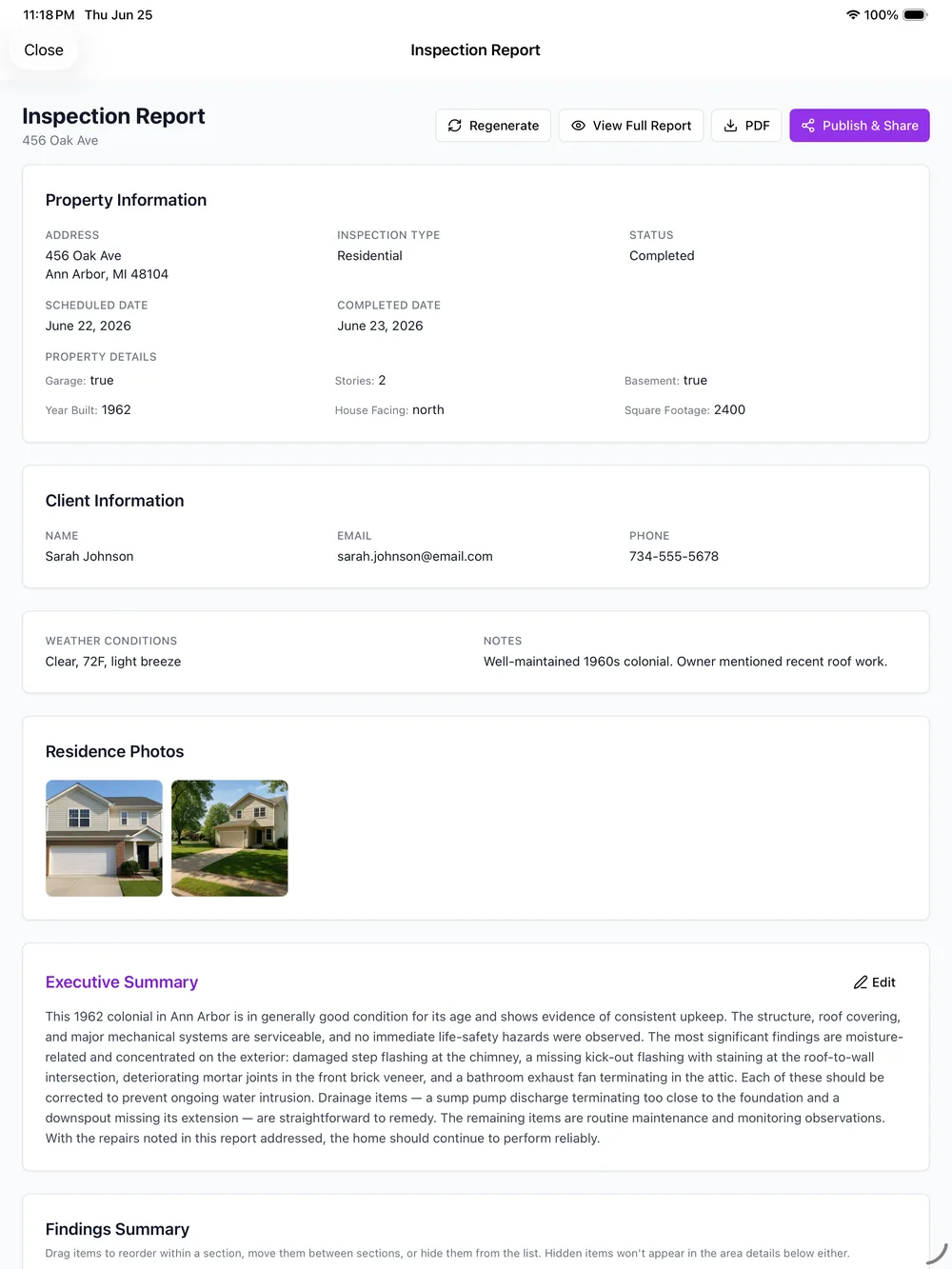
Finding the Problem Is the Easy Part. Turning It Into a Report Is Not.
You spot the issue in seconds. What happens next is where most inspection report software leaves you on your own: type the finding into a form, dig up the code section yourself, find the right photo in a long camera roll, and assemble it all into something a client and their agent can actually use, usually hours later at a desk.
PadInspector closes that gap. The report is not something you build after the walkthrough, it is what the walkthrough produces.
What Happens to a Finding After You Say It
Follow one real finding, a double-tapped breaker, as it picks up everything it needs on the way to becoming part of the delivered report.
You speak it
Standing at the panel, you say what you see out loud. No form to open first.
"Double-tapped breaker at panel position 14"
Transcribed and photographed
The words become text in real time and the photo you snap attaches to this exact finding.
"Double-tapped breaker at panel position 14"
Severity and code attach
A safety flag and the matching NEC section link themselves to the finding, no codebook search.
"Double-tapped breaker at panel position 14"
Dropped into the report
The finding files itself under Electrical, next to every other item from that area.
"Double-tapped breaker at panel position 14"
Sent to client and agent
After your quick review, the finding ships inside the finished report, same day.
"Double-tapped breaker at panel position 14"
A Quick Review, Not a Rewrite
Assembling a finding into the report automatically does not mean it ships unchecked. Before anything reaches a client, the drafted finding, its photo, its severity flag, and its code citation sit in front of you for a pass. Adjust a word, correct a flag, or cut a line, then sign off.
That review takes minutes, not the evening a fully manual writeup costs. If narrating the whole inspection out loud is new to you, our home inspection software completed verbally page walks through exactly how that works.
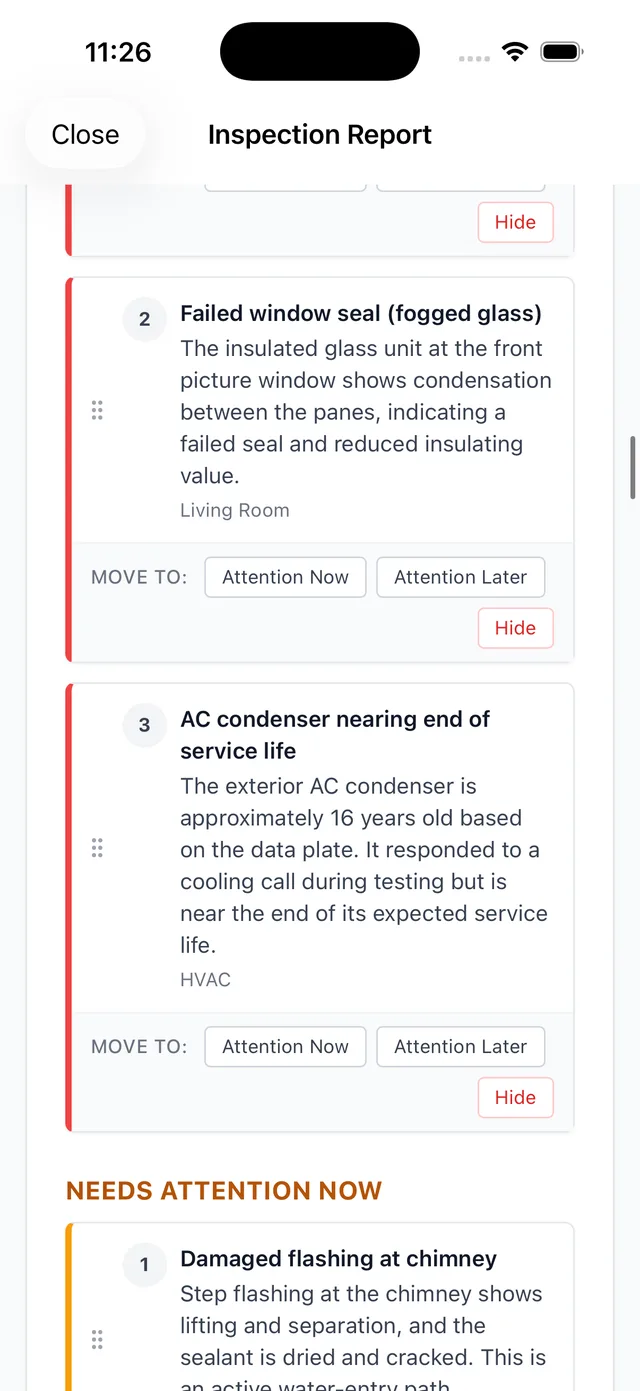
What Makes This Inspection Report Software Different
Every capability below acts on a finding the moment you capture it, not after the fact.
Voice-to-report capture
Narrate a finding once and it drafts into report language as you talk, area by area.
Automatic code citations
The applicable IRC, NEC, or state code section attaches to a finding the moment it matches, right in the report.
Severity flagging
Every finding is marked safety, monitor, or satisfactory as it is captured, so the report can be triaged at a glance.
Photo-per-finding filing
Photos attach to the exact finding you were describing instead of landing in a camera roll to sort later.
Inspection-day weather log
Conditions log automatically into the report for liability protection on any weather-related dispute.
Fully offline drafting
Recording and report drafting run locally, and a full report can even be built later from recorded video with zero connection.
Team mode
Multiple inspectors on one job see which areas are already documented, so no finding gets duplicated.
Native iPad, iPhone, and Apple Watch
A true native app across your Apple devices, built for the walkthrough, not a browser tab.
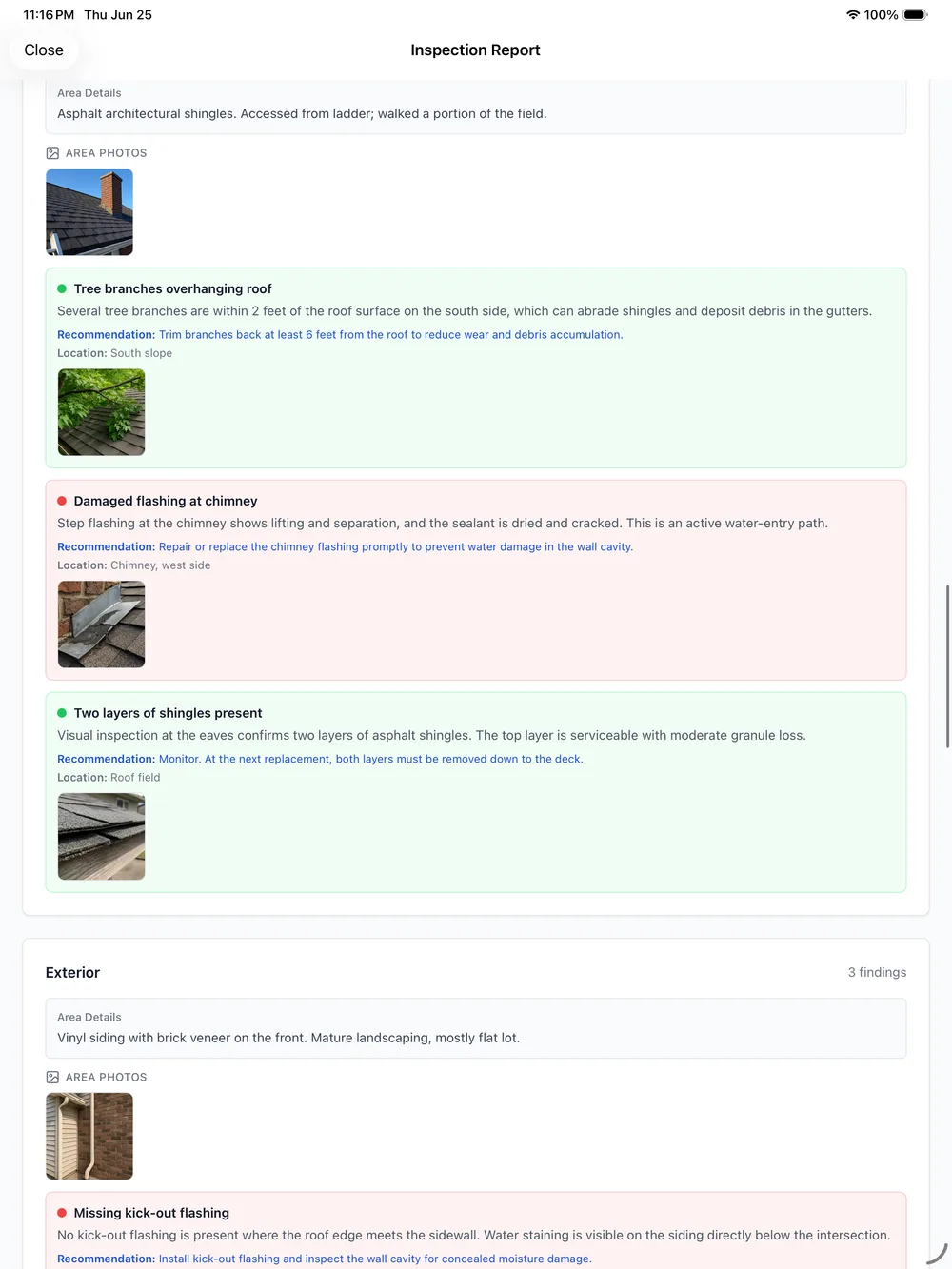
What the Client and Agent Actually Receive
The point of an inspection report is what someone does with it next. Every finding lands in the delivered report already sorted by area, flagged by severity, and backed by a code citation where one applies, so a client or their agent can see what matters first without reading the whole document line by line.
Compare that to a general report-writing tool on our building inspection report software page, or see the wider platform on our home inspector software overview.
Your Client's Findings Stay Between You and Them
Every finding, photo, and recording PadInspector processes exists to build that client's report, nothing else. The data is never sold or repurposed to market to your clients, a stance Aristide, PadInspector's founder and a working home inspector himself, built the product around from day one.
Related reading
See every way inspectors use PadInspector across a full inspection business. Comparing a browser-based approach? Read web-based home inspection software , or browse the full PadInspector feature list and PadInspector pricing plans.
Frequently Asked Questions
How does a spoken finding actually become part of the report?
You describe what you see at the moment you see it and snap a photo. PadInspector transcribes the finding, attaches the photo, flags its severity, links the applicable code section, and files the whole thing under the right area of the report automatically, without you opening a separate report-writer screen afterward.
Does inspection report software cite building codes automatically, or do I still look them up?
With most tools you still search the codebook yourself. PadInspector attaches the relevant IRC, NEC, or state code section to a finding the moment it matches, so the citation is already sitting in the report by the time you move to the next room.
Can I deliver the report to a real estate agent, not just the buyer?
Yes. The finished report renders as an interactive web page plus a PDF, and you can send either to the client, the agent, or both the same day the inspection wraps, with severity flags making it easy for anyone reading it to triage what matters first.
Does inspection report software work without wifi on site?
PadInspector does. Recording, transcription, and report assembly all run locally on the device, so a signal-dead basement or a rural property will not stall you. If you had no connectivity for the entire visit, PadInspector can even build the report from a recorded video afterward.
Do I lose control over what goes in the report if the software is doing the drafting?
No. Every drafted finding sits in front of you for a quick review before anything sends. You adjust wording, correct a severity flag, or cut something entirely. PadInspector assembles the report; you are still the one who signs off on it.
What does inspection report software from PadInspector cost?
PadInspector is invite-only right now while we onboard inspectors carefully, so request an invite to see current plans, or read the full breakdown on our home inspection software cost page.
Inspection Report Software Built to Finish the Handoff
PadInspector is invite-only while we onboard inspectors carefully. Request an invite and see what it feels like to hand off a finished report the same day you find the problem.
Request an invite