Web Based Home Inspection Software
Web based home inspection software is what most inspectors search for when they want their reports open on any device, and PadInspector answers that same need with a native iPad, iPhone, and Apple Watch app built specifically for the jobsite, not a browser tab.
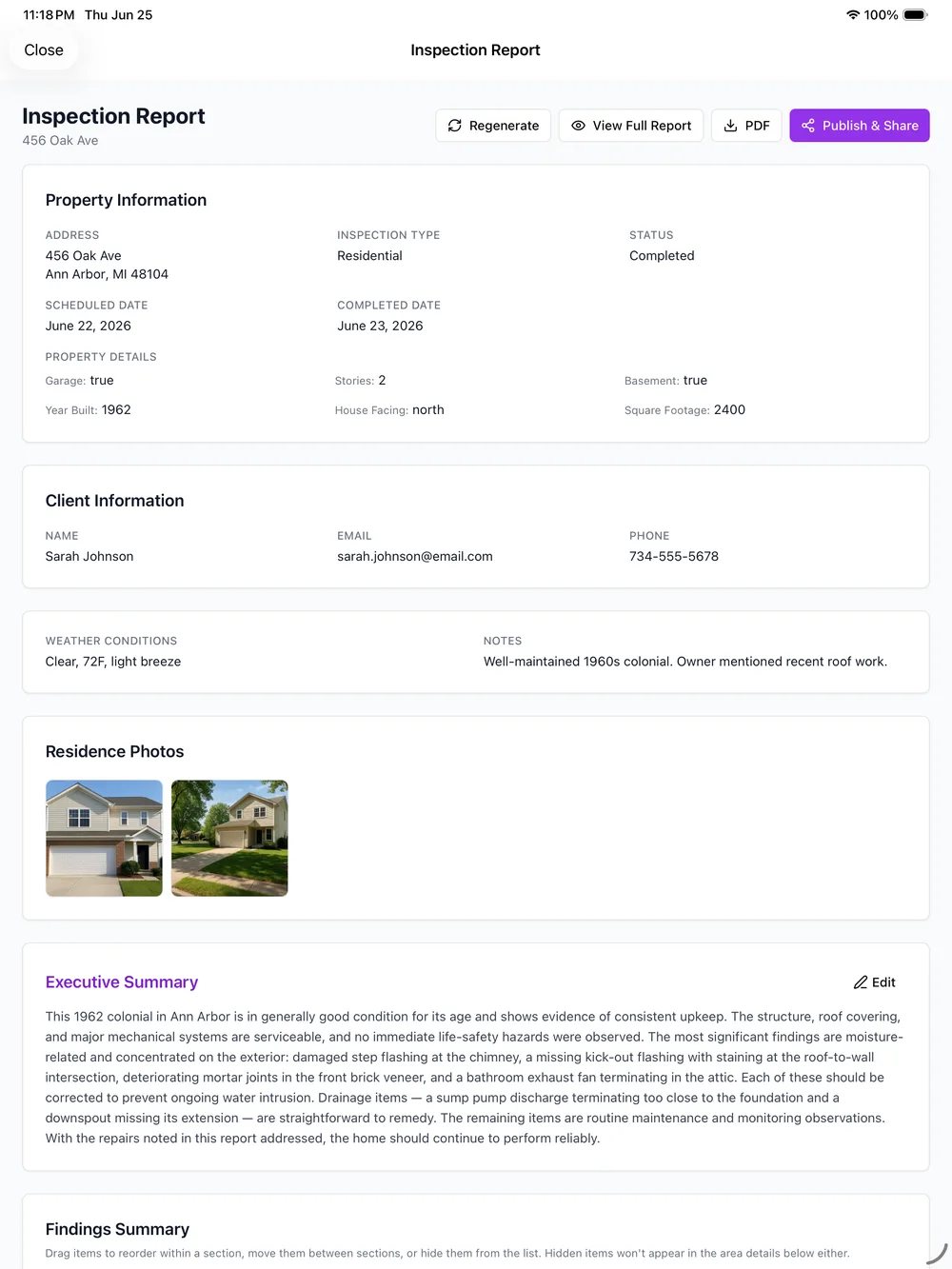
Straight talk: PadInspector is not web based software, it is a native app. There is no browser login, no URL to bookmark, nothing that lives only in a tab. It installs directly on iPad, iPhone, and Apple Watch. For a job that happens in basements, crawlspaces, and rural properties with no signal, that turns out to be the better trade: the app keeps working when a browser tool would stall, the camera and microphone respond instantly instead of asking for permission through a page, and a crashed tab can never cost you a finished inspection.
Typical Web Based Tool vs PadInspector
A side-by-side spec sheet of what actually changes on a real jobsite when a tool lives in a browser tab instead of on the device.
| Capability | Typical web based tool | PadInspector (native app) |
|---|---|---|
| Works with zero signal | Stalls or loses your session | Keeps recording, no connection needed |
| Camera & microphone access | Routed through browser permissions | Direct device access, instant response |
| Reliability on a silent jobsite | One dropped tab can cost the inspection | Work lives on the device the whole time |
| Install & update experience | Bookmark a URL, re-login every visit | One installed app, opens ready to go |
| Apple Watch support | Not available | Native Watch app for quick capture |
| Build a report with no wifi at all | Not possible, needs a live connection | Can build a full report from recorded video |
Comparing the full toolset? See our complete home inspector software, or browse best home inspector software for a wider comparison.
The Browser Tab That Can't Handle the Field
A web based home inspection software tool works fine at a desk. The trouble starts on the job: a crawlspace with no signal, a basement that eats a wifi signal entirely, a session that times out halfway through a walk and asks you to log back in. Every one of those moments risks losing notes, photos, or the whole inspection.
PadInspector sidesteps that risk by design. The app itself, not a server on the other end of a connection, does the recording, the transcription draft, and the photo attachment. A dead spot on the property just means it syncs a few minutes later instead of costing you the work.
Talking through a unit or a full house by voice also means the microphone and camera respond the moment you tap, not after a browser asks permission again. That difference is covered in our home inspector software overview.
What a Native App Gets You in the Field
The capabilities that only make sense once the software lives on the device instead of in a browser tab.
Voice-to-report capture
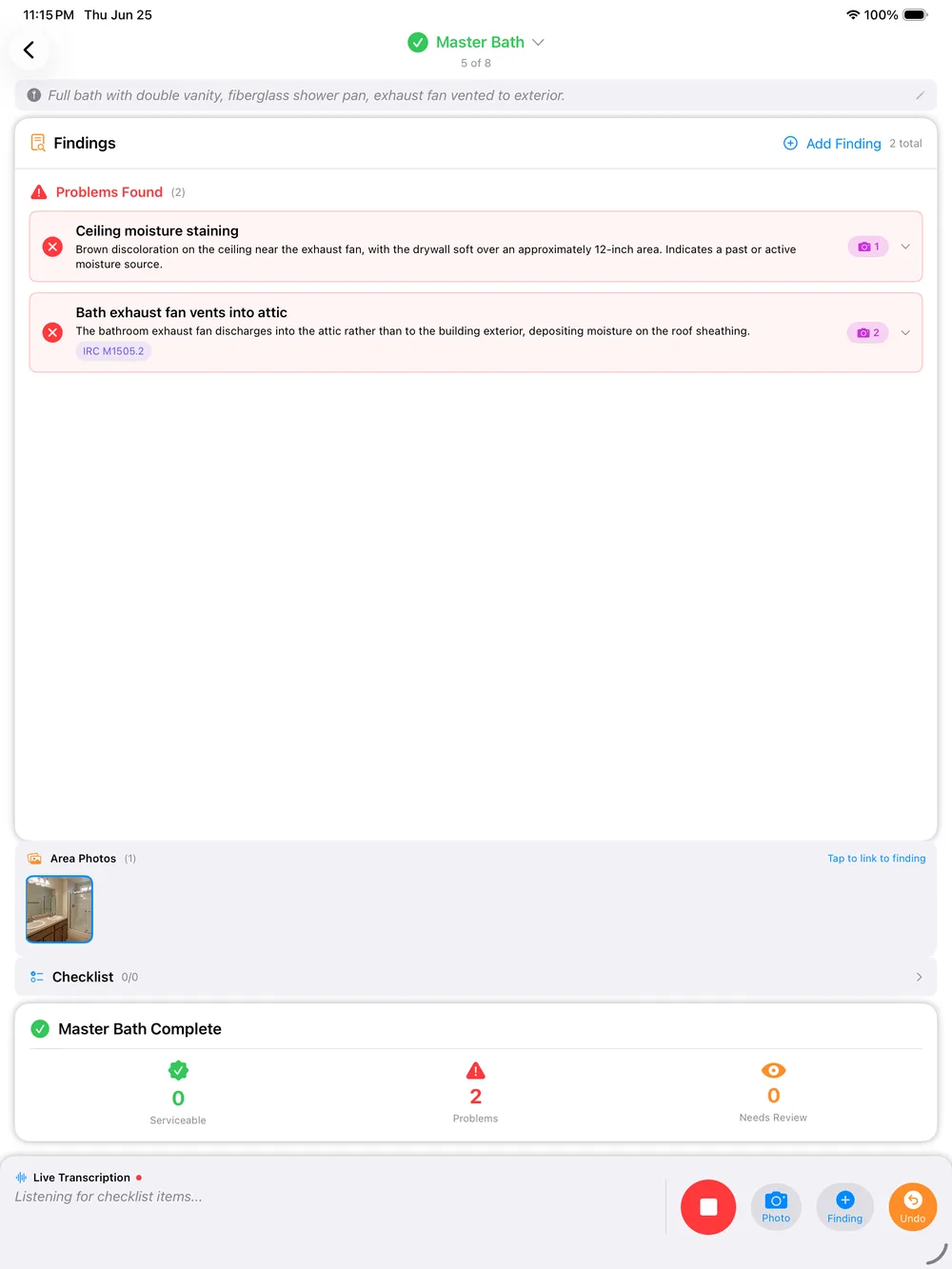
Talk through the property as you walk it, and PadInspector transcribes and drafts the report in real time, entirely on the device.
Automatic code-violation lookup
Findings are checked against IRC, NEC, and state building codes automatically, no browser tab full of codebook PDFs required.
Fully offline inspections
Basements, rural properties, and buildings with dead signal will not stop an inspection. Everything syncs once you are back in range.
Inspection-day weather logging
Weather logs automatically on the device the moment you start, useful documentation if a finding is ever disputed later.
Multi-inspector team mode
See who already covered which area, so a crew stays coordinated without everyone needing a live connection at once.
Office-staff Zillow pre-fill
Office staff can pull property details from an online listing before the inspector even arrives on site.

Four Steps, Zero Browser Tabs
- 1
Arrive and open the app
No URL, no login screen, no waiting on a page to load, the app is already installed and ready.
- 2
Walk and talk
Narrate each area as you go. PadInspector transcribes and drafts the report on the device as you move through the property.
- 3
Photos attach automatically
Every photo you snap attaches to the finding and area you are documenting, no separate camera roll to sort later.
- 4
Review and send
Do a quick pass on the draft, then send it. The report was written on the walk, not rebuilt afterward.
Built for the Jobsite, Not the Dashboard
PadInspector never sells or misuses client data, and that stance does not change whether the software runs in a browser or on a device. Going native was a deliberate trade for reliability where inspectors actually work: on a roof, in a crawlspace, in a basement with no bars. See the full PadInspector features or the PadInspector pricing plans for the complete picture.
Ready to see it next to the rest of your shortlist? Browse the full set of PadInspector use cases or compare it against best home inspector software.
Frequently Asked Questions
Is PadInspector web based? Does it run in a browser?
No, and we want to be upfront about that. PadInspector is not a browser tab or a login-in-the-cloud tool, it is a native app installed on iPad, iPhone, and Apple Watch. That is a deliberate choice, not a gap: a browser tool depends on a live connection and an open tab to keep working, and a jobsite with no signal or a dropped session mid-inspection will lose that work. A native app keeps recording, capturing photos, and drafting your report entirely on the device, connection or not.
Why choose a native app over web based home inspection software?
Three reasons come up most with inspectors who have tried a browser tool in the field: the app keeps working with zero signal in a basement or a rural property, the camera and microphone respond instantly because they talk to the device directly instead of through a browser permission layer, and there is no risk of losing an inspection to a crashed tab, a dead browser session, or a forgotten login screen halfway through a walk.
Does PadInspector work without wifi or cell signal on a job site?
Yes, fully. PadInspector is offline-first by design, which a browser-based tool cannot promise since it depends on a live connection to save your work. Voice, photos, and notes all save to the device as you walk, then sync once you are back in range. If a property has no signal for the entire inspection, PadInspector can even build the full report from a recorded video walkthrough afterward.
Can a team of inspectors use PadInspector the way they would a shared web login?
Yes, through team mode. Each inspector works from their own native app on their own device, and team mode shows who already covered which area or property so a crew never duplicates a walk-through or leaves one uncovered. You get the shared visibility a web platform promises, without depending on everyone having a live connection at the same time.
What does PadInspector cost compared to typical web based inspection software?
Starter is $79 per month ($790 per year) for a solo inspector. Pro is $129 per month ($1,290 per year) with higher usage limits and automatic code-violation lookup. Team is $129 per month plus $59 per additional inspector. PadInspector is invite-only right now, so pricing is locked in early for anyone who requests an invite.
Is my inspection and client data safe with a native app instead of a web login?
Yes. PadInspector never sells or misuses client data, full stop. A native app does not change that stance, it just means your reports, photos, and voice notes live on your own device first instead of depending on a server round-trip for every action you take in the field.
Related reading
Comparing your whole shortlist? Browse home inspector software, or see our pick for best home inspector software. For every use case PadInspector covers, visit the PadInspector use cases index.
Skip the Browser Tab, Keep the Report
PadInspector is invite-only while we onboard inspectors carefully. Request an invite and get the native app built for jobsites, not dashboards.
Request an inviteA native iPad, iPhone, and Apple Watch app, built for the field, not a browser tab.