Home Inspection Software for Mac
Home inspection software for Mac usually means digging through a workaround: Parallels, Boot Camp, or a browser tab standing in for real software. PadInspector skips the workaround. You inspect on a native iPad, iPhone, or Apple Watch app in the field, and the finished report opens in any Mac browser the moment you are done.
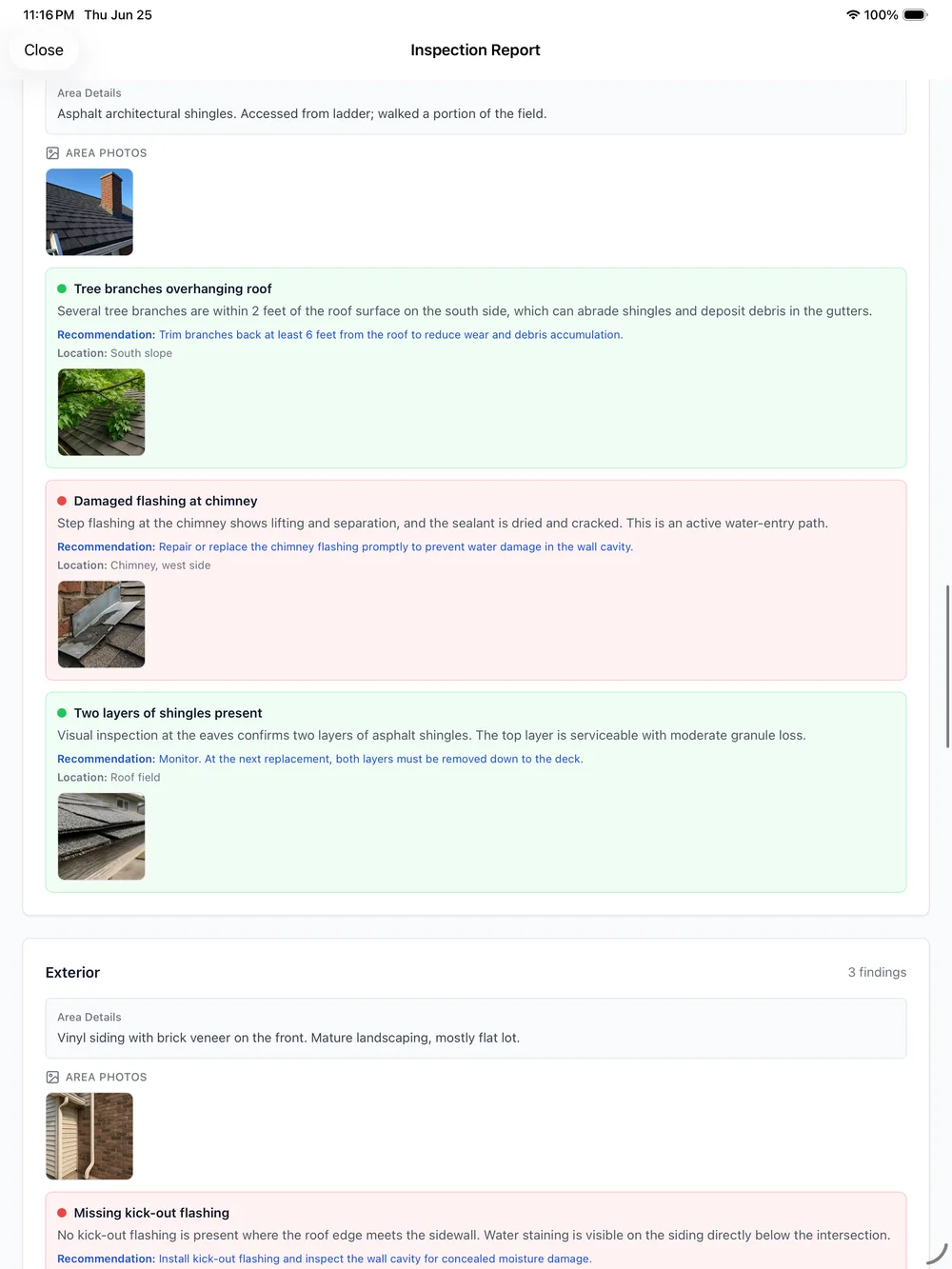
Straight talk: PadInspector does not have a native Mac desktop app, and it is not trying to be one. It is a native iPad, iPhone, and Apple Watch app built for the property, not a desk. Findings, photos, and voice narration are captured in the field on iOS and iPadOS. Once a report syncs, it lives in the cloud, so anyone with a Mac and a normal web browser can open, review, download, or print it afterward. That is a deliberate trade, not a gap: a Mac cannot go up into an attic or down a crawlspace with you, so the app built for the job runs on the devices that can.
Old Mac Workaround vs PadInspector in the Field
The question is not really "does it run on my Mac." It is where the actual inspection work happens, and whether the report is easy to get to afterward.
- Capture notes on paper or a laptop at the property
- Many "Mac compatible" tools actually need Parallels, Boot Camp, or a Windows VM
- Report gets rebuilt or retyped later at a Mac desk
- No true offline capture in a crawlspace or dead zone
- Hours pass between the walkthrough and a finished report
- Capture by voice on a native iPad, iPhone, or Apple Watch app in the field
- No desktop software to install, no Parallels or Windows VM, ever
- Report is nearly finished before you leave the driveway
- Fully offline in the field, even building a report from recorded video
- Finished report opens in any Mac browser afterward, for you or the client
Want the fuller native-app case? See home inspection software for iPad or compare against a web based home inspection software approach.
The Parallels Workaround Nobody Actually Wants
Ask home inspectors on forums like NACHI about running inspection software on a Mac and the same complaint comes up: most tools were built Windows-first, so "Mac support" means installing Parallels, Boot Camp, or a Windows virtual machine just to open the program. That is another license to buy, another thing to keep updated, and another way for an Apple Silicon Mac to behave unpredictably right before a job.
Then there is the part that gets lost in the "is it Mac compatible" question entirely: a Mac was never going into the attic with you anyway. The report still gets rebuilt from memory later, whichever desktop it happens on. PadInspector removes the workaround by skipping the desktop step altogether. For the wider case on ditching desk-bound editing, see our offline home inspection software page.

What Runs in the Field Instead of on a Mac
Real capabilities on the native app, not a desktop feature list.
Voice-to-report capture
Talk through each area as you walk it, and PadInspector transcribes and drafts the report in real time, in the field, not later at a desk.
Automatic code-violation lookup
Findings are checked against IRC, NEC, and state building codes automatically, no separate codebook or browser tab required.
Fully offline capture
Basements, rural properties, and dead-signal buildings do not stop an inspection. PadInspector can even build a report from a recorded video with no wifi at all.
Inspection-day weather logging
Weather logs automatically the moment you start, useful documentation if a finding is ever disputed later.
Multi-inspector team mode
See who already covered which area on a job, so a crew stays coordinated with no double work.
Office-staff Zillow pre-fill
Office staff can pull property details from a listing before the inspector even arrives on-site.
Four Steps, No Mac Required
- 1
Arrive and open the app
No desktop program to launch first, no license dongle, PadInspector opens ready to go on iPad or iPhone.
- 2
Walk and talk
Narrate each area as you move through the property. PadInspector transcribes and drafts the report on the device as you go.
- 3
Codes and photos attach automatically
Matching IRC, NEC, or state code sections link to findings, and every photo attaches to the right area, no sorting later.
- 4
Send, then review anywhere
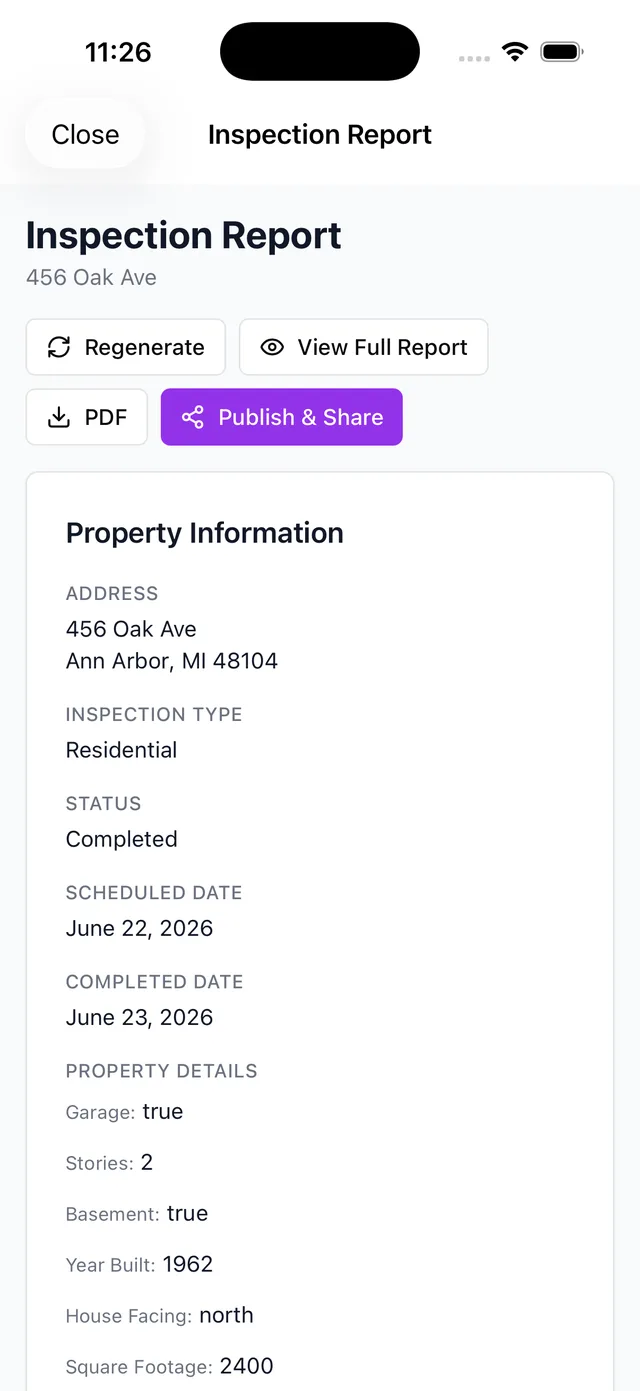
The report is nearly done before you leave. Once it syncs, open it in any browser, on a Mac or otherwise, to do a final read or share it.
Built for the Property, Not the Desktop
PadInspector never sells or misuses client data, and that stance does not change based on which device opens the report. Staying native on iPad, iPhone, and Apple Watch was a deliberate trade for reliability where inspectors actually work: a roof, a crawlspace, a basement with no bars, none of which a Mac was ever going to reach. See the full PadInspector features or the PadInspector pricing plans for the complete picture.
Want the broader case for cloud-synced reports? Read online inspection software, or start from our home inspector software overview. See every way inspectors use PadInspector on the full use-cases index.
Frequently Asked Questions
Does PadInspector have a Mac app?
No, and we want to be upfront about it. PadInspector does not have a native macOS desktop app or a Mac App Store listing. It is a native iPad, iPhone, and Apple Watch app built for capturing an inspection on-site. The finished report syncs to the cloud, so you can open, review, download, or print it from a Mac afterward using a normal web browser, but the walkthrough itself is captured on iOS and iPadOS, not on the Mac.
Do I need Parallels or Boot Camp to use inspection software on a Mac?
Not with PadInspector, and that is by design. Several legacy inspection tools were built Windows-first, so Mac users end up running Parallels, Boot Camp, or a Windows virtual machine just to open them, which real inspectors on forums like NACHI describe as clunky and easy to get wrong on newer Apple Silicon Macs. PadInspector skips that problem entirely by never being desktop software in the first place. You inspect on iPad or iPhone, and review the report in any browser, no workaround required.
Can I finish or review a home inspection report on my Mac?
Yes, after the inspection. Once a report syncs from the field, it lives in the cloud and opens in any modern browser on a Mac, so you (or a client) can review, download, or print it there. What does not happen on the Mac is the actual capture: the voice narration, photo-per-area attachment, and code lookup all happen during the walkthrough on iPad, iPhone, or Apple Watch.
What device do I actually need on-site for a home inspection?
A Mac is not built to go where an inspection happens: up into an attic, down a crawlspace, or onto a roof. That is why PadInspector focuses on iPad, iPhone, and Apple Watch, devices you can actually carry through the property. You talk through each finding as you walk, and the report is nearly finished before you leave the driveway, no Mac desk session required.
Is web-based inspection software the same thing as Mac support?
Not quite. Many tools marketed as "Mac compatible" are really browser-based platforms you access through Safari or Chrome, which is different from a program installed on the Mac itself. PadInspector takes a third approach: a native app for capture in the field on iPad, iPhone, and Apple Watch, plus cloud-synced reports you can open in a Mac browser afterward.
What does PadInspector cost?
Starter is $79 per month ($790 per year) for a solo inspector. Pro is $129 per month ($1,290 per year) with higher usage limits and automatic code-violation lookup. Team is $129 per month plus $59 per additional inspector. PadInspector is invite-only right now, so request an invite to lock in early pricing.
Skip the Desktop, Finish in the Field
PadInspector is invite-only while we onboard inspectors carefully. Request an invite and get the native iPad, iPhone, and Apple Watch app, no Mac desktop app required.
Request an inviteA native iPad, iPhone, and Apple Watch app. Reports open on any Mac browser after.