Property Inspection Apps With Work Orders
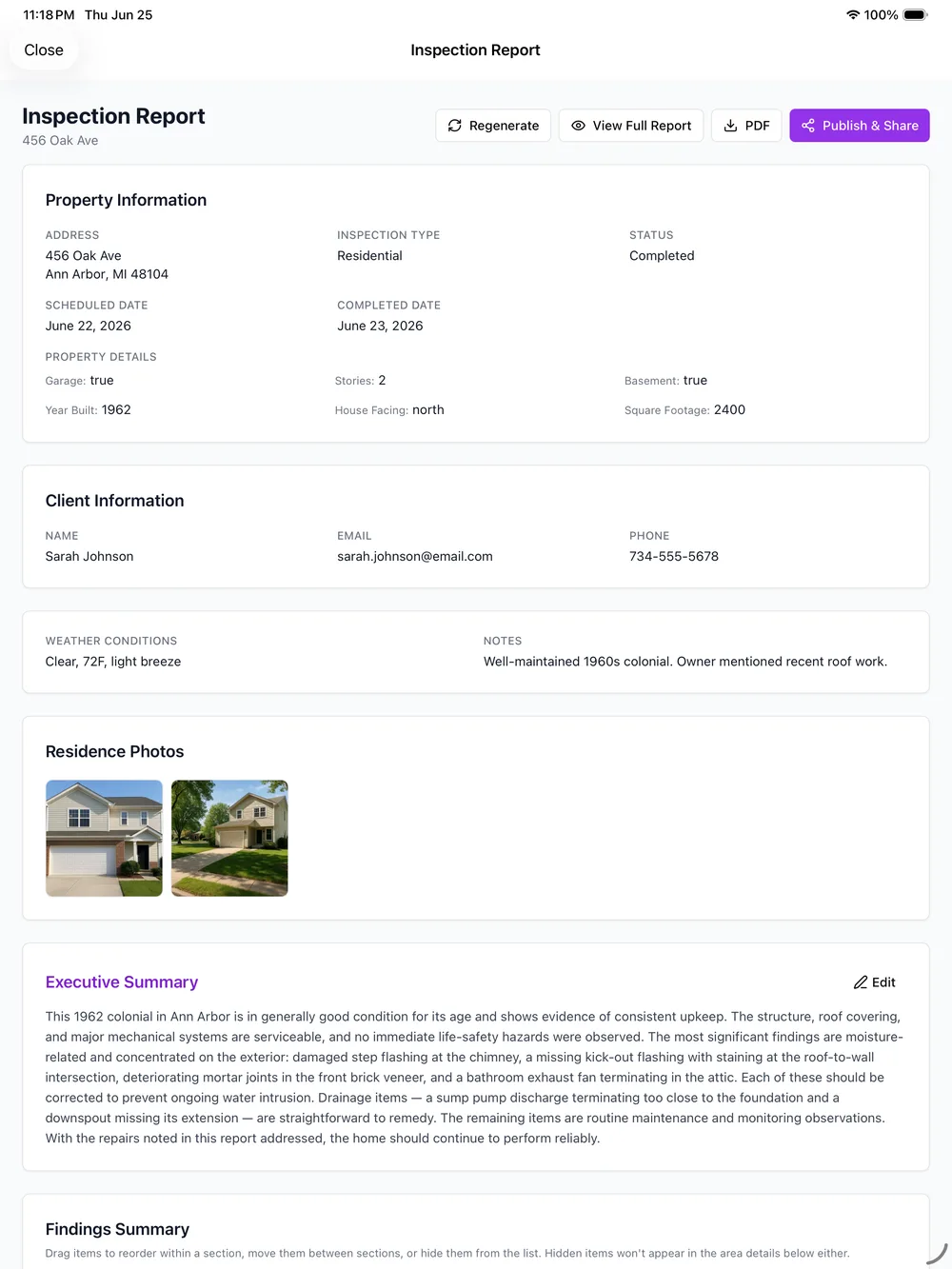
Property inspection apps with work orders are really about one thing: turning what an inspector finds into something someone can fix. PadInspector owns the first half of that. It captures every deficiency by voice, attaches a photo to each area, ranks severity, links the building code, and hands you a clear, dated report your work-order or maintenance process acts on.
Straight answer before you read further
PadInspector does not include a built-in work-order module. It does not create, assign, dispatch, or track work orders, and there is no ticketing board, vendor dispatch, or repair-status tracker inside the app. If an in-app dispatch board is the one feature you cannot work without, PadInspector is not that tool. What it does exceptionally well is the step before the work order: capturing and documenting deficiencies fast, so the report you hand to your work-order or maintenance process is complete and accurate.
Where PadInspector Ends and Your Work Orders Begin
Two halves of one workflow, with a clear line between them. PadInspector documents the finding. Your system runs the fix.
What the app does on site
- 1Capture the deficiency by voiceWalk and talk. PadInspector transcribes each finding as you speak, no typing.
- 2Attach a photo to the areaEvery photo auto-attaches to the finding and links to the moment in your recording.
- 3Categorize area and severityFindings sort automatically by area and severity, with a building-code reference (IRC, NEC, state).
- 4Generate the reportA clear, dated, shareable report is finished before you leave the driveway.
What happens next in your work-order process
- 1Report shared or exportedYou send the finished report to an owner, property manager, or contractor.
- 2Work orders createdEach documented finding becomes a work order in your CMMS, PM platform, or ticketing tool.
- 3Assigned to a person or vendorYour system routes the job to whoever handles the repair.
- 4Fix tracked to completionStatus, scheduling, and closeout live in your work-order system, not in PadInspector.
The right side runs in your own tools. PadInspector does not connect to a specific work-order platform automatically. It gives you a clean, complete report to feed whatever you already use, including property management inspection software.
A Work Order Is Only as Good as the Finding
The slow, error-prone part of most repair workflows is not the dispatch step. It is turning a walkthrough into a clean list. When findings arrive as loose notes, blurry photos, and text messages, someone has to reconstruct them before a single work order can be opened. Severity becomes a guess, and context gets lost.
PadInspector removes that gap. Because each deficiency is captured by voice, tied to a photo and an area, ranked by severity, and checked against IRC, NEC, and state codes as you speak, the report is already work-order-ready when the inspection ends. Whoever handles the fix opens accurate work orders the same day instead of waiting on a write-up.
It also logs the weather on inspection day, which protects you if a finding is disputed months later. Explore the full home inspector software to see everything between the walkthrough and the finished report.
Built to Document Findings, Not Dispatch Them
Real capabilities that make the report you hand off fast, accurate, and defensible. No ticketing board, because that is your system's job.
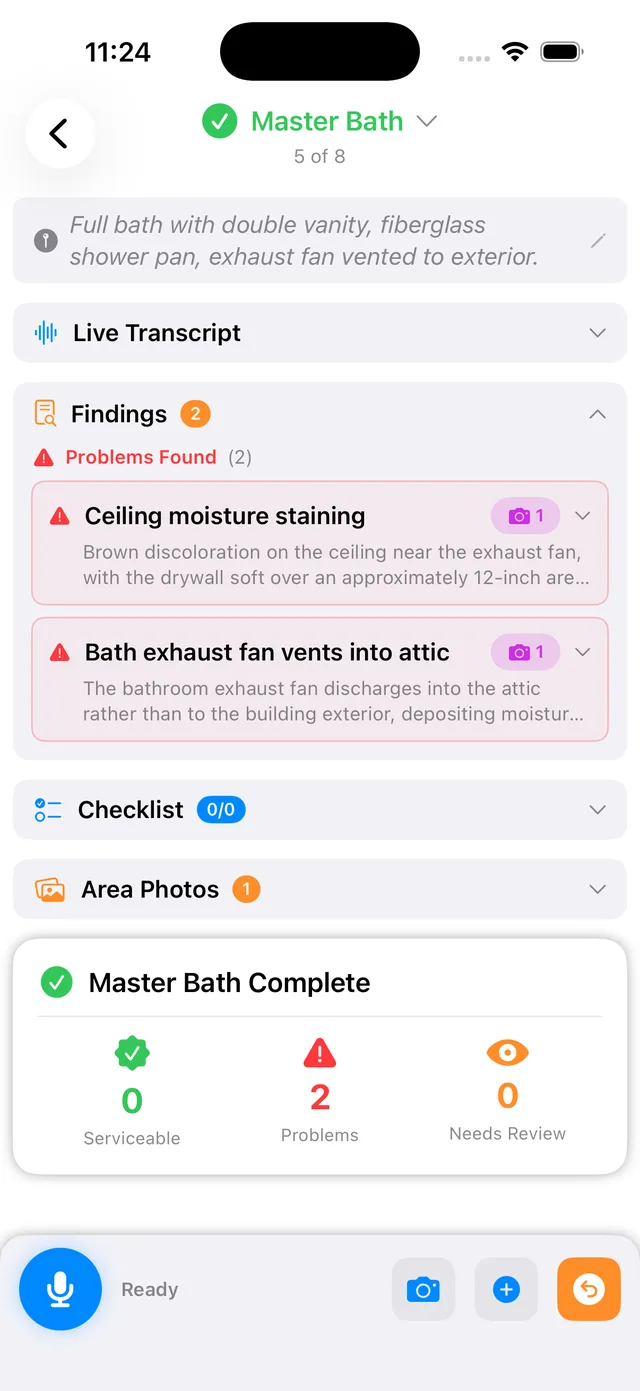
Voice-to-report capture
Walk and talk. Findings transcribe in real time and the report drafts itself as you go.
Photo per area, linked to the moment
Each photo attaches to the finding you just documented and links to that point in your recording.
Automatic area and severity sorting
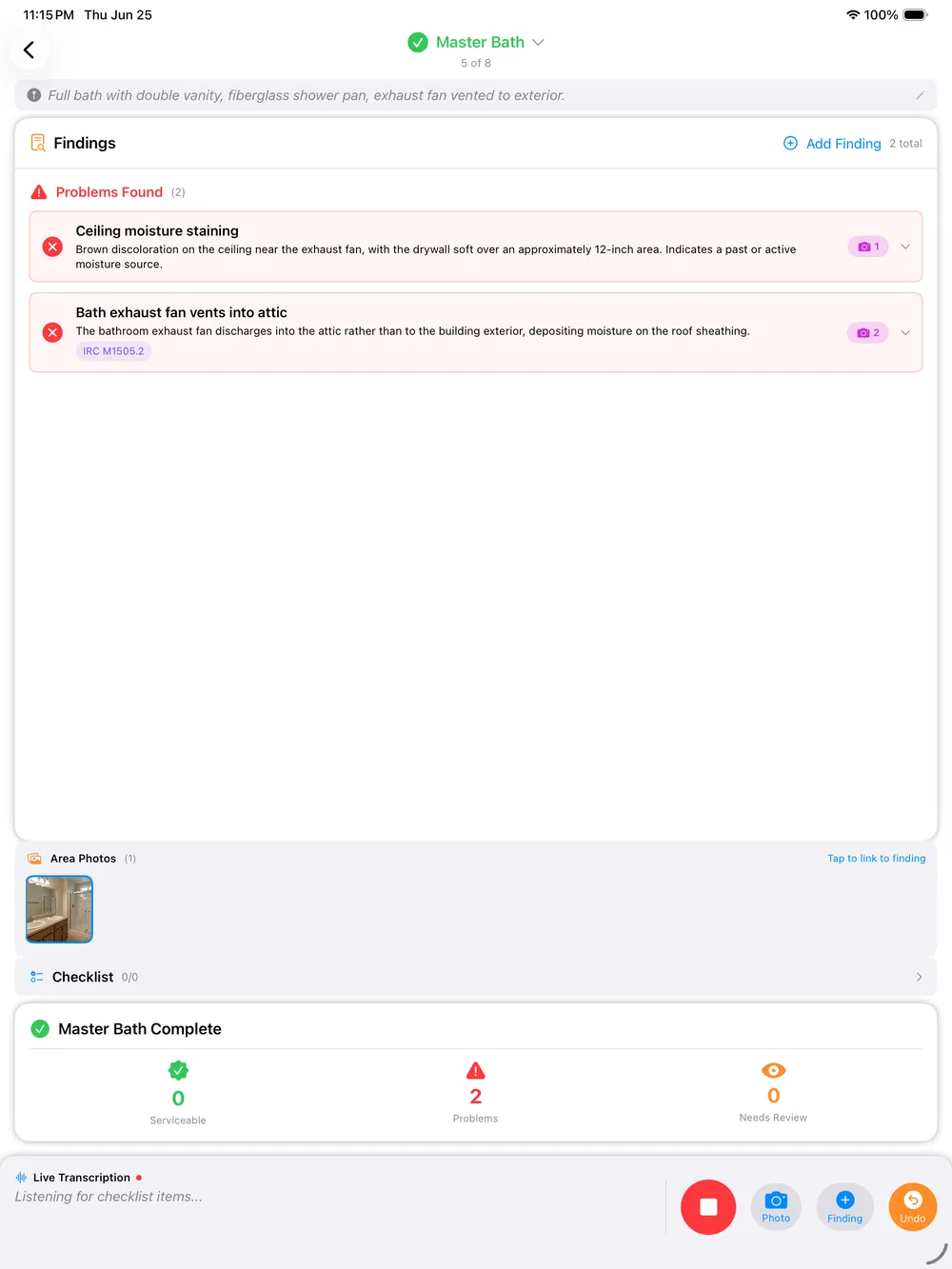
Every finding is categorized by area and severity, so the handoff list is already prioritized.
Automatic code-violation lookup
Findings are checked against IRC, NEC, and state building codes so severity is documented, not guessed.
Inspection-day weather logging
The day’s weather is recorded automatically, giving you a liability record if a finding is questioned later.
Fully offline inspections
No wifi is fine. PadInspector can even build the report from a recorded video with no connection at all.
Multi-inspector team mode
See who inspected which area of a property, so nobody duplicates work and nothing gets missed.
Shareable, exportable reports
Hand the finished report to an owner, property manager, or contractor to open work orders in their own system.
Office-staff Zillow pre-fill
Staff can pre-fill an inspection from Zillow before the appointment, so property details load before you arrive.
Style learning
PadInspector learns how you phrase findings so drafts read in your voice over time.
Native iPad, iPhone, Apple Watch
A real native app built for the devices you already carry on the job, not a web login.
Data-privacy stance
Client and property data is never sold or misused. It stays with your business, not a third party.
Voice-First Capture vs. a Generic Checklist App
Both feed a work-order process. Only one gives that process a finding it can act on the same day.
Generic checklist app
- Tap through boxes and type notes by hand
- Photos live in a camera roll, separate from the finding
- No code reference, so severity is a manual call
- Export is a flat PDF someone has to re-read and re-key
- Editing at home after the drive back
PadInspector voice-first capture
- Speak the finding and keep moving, no typing
- Photo auto-attaches to the area and the recording moment
- IRC, NEC, and state code linked automatically
- Report is organized by area and severity, ready to share
- Finished before you leave the driveway
Honest About the Boundary, Strong Where It Counts
To be clear one more time: PadInspector does not manage work orders itself. There is no assignment, no vendor dispatch, no repair-status tracking, and no confirmed integration with a specific work-order platform. It creates the documented findings that feed your work-order or maintenance process, and the report can be shared or exported to whoever handles the fix.
That focus is the point. By owning the capture-and-document half completely, PadInspector makes the handoff to your system fast and accurate. If you are mapping the rest of your stack, our building inspection report software and home inspection scheduling apps pages show how the report and booking sides fit alongside it, and you can review PadInspector pricing plans anytime.
Simple, Per-Inspector Pricing
Invite-only while we grow. Pick the plan that matches how you document findings.
Starter
For the solo inspector who wants findings organized before leaving the driveway.
Request an invitePro
For the busy inspector who wants every finding code-linked and report-ready.
Request an inviteTeam
For multi-inspector shops that need shared coverage and no double work.
Request an inviteTeam plan adds inspectors at $59 each per month. See full details on PadInspector pricing plans.
Frequently Asked Questions
Straight answers, including exactly what PadInspector does not do.
Does PadInspector create and track work orders?
No. PadInspector does not create, assign, dispatch, or track work orders, and there is no ticketing board or status tracker inside the app. It is honest about that boundary on purpose. What it does is the step right before a work order: it captures every deficiency by voice with a photo per area, categorizes each one by area and severity, checks it against building codes, and produces a clear, dated, shareable report. You (or your property manager or maintenance platform) turn those documented findings into work orders in whatever system already handles the fix.
How do PadInspector findings feed my work order or maintenance process?
Every finding lands in the finished report already organized by area, ranked by severity, with photos attached and code references included. You share or export that report to whoever handles repairs. Because the list is already clean and complete, opening work orders in your CMMS, property management platform, or a contractor email is fast and accurate instead of a re-keying exercise from loose notes.
Can I send inspection findings straight to a contractor for repairs?
Yes. The finished PadInspector report is shareable and exportable, so you can hand it to an owner, a property manager, or a contractor directly. Each finding already carries its area, severity, photos, and code reference, which makes it easy for that person to open work orders in whatever maintenance or dispatch system they use. PadInspector does not push work orders into a separate system automatically.
What does 'work orders' usually mean for a property inspection app?
In most property inspection or facilities tools, a work order is a flagged defect that gets assigned to a person or vendor and tracked to completion inside a maintenance platform. PadInspector focuses on the front of that workflow: capturing and organizing the finding itself, fast and by voice, so the handoff to your work order system is accurate. It does not include the assignment and tracking side.
How does PadInspector keep multiple inspectors from duplicating work on the same property?
Team mode gives everyone on the account visibility into who inspected which area of a property, so a manager can see coverage at a glance instead of two inspectors documenting the same room or a finding getting missed entirely.
Does PadInspector work without wifi at the property?
Yes. PadInspector is fully offline-first. You can complete an entire inspection with zero wifi, and it can even build a report from a recorded video if you never had a connection at all.
Can office staff prepare an inspection before the inspector arrives?
Yes. Office staff can pre-fill an inspection from Zillow before the appointment, loading property details so the file is ready before the inspector walks in.
Related reading
Building out the report side of your workflow? See our building inspection report software page. For the full toolset, our home inspector software page covers everything PadInspector does, and our home inspection scheduling apps page explains how it fits alongside whatever books your jobs. Managing a portfolio? See property management inspection software, and review PadInspector pricing plans before requesting an invite.
Give Your Work Orders a Better Starting Point
PadInspector captures deficiencies by voice, ranks severity, links the code, and hands you a clean report your work-order process acts on the same day. It is invite-only while we grow.
Request an inviteNative iPad, iPhone, and Apple Watch app. Works fully offline. Plans from $79/mo.