Home Inspection Scheduling Apps
Home inspection scheduling apps are built to fill your calendar with bookings, confirmations, and reminders. PadInspector picks up the moment you pull into the driveway: it tracks each job's scheduled status, keeps your team from double-booking a property, and drafts the report while you walk it.
Two Halves of the Same Job
A scheduling app fills your week. PadInspector handles the two to three hours you still spend writing the report after the truck is packed. They are not the same tool, and that is fine.
- Online client booking and calendar sync
- Automated confirmation and reminder texts or emails
- Payment collection at the time of booking
- Filling gaps in the week before the job even starts
Keep the booking tool you already use. PadInspector does not replace it.
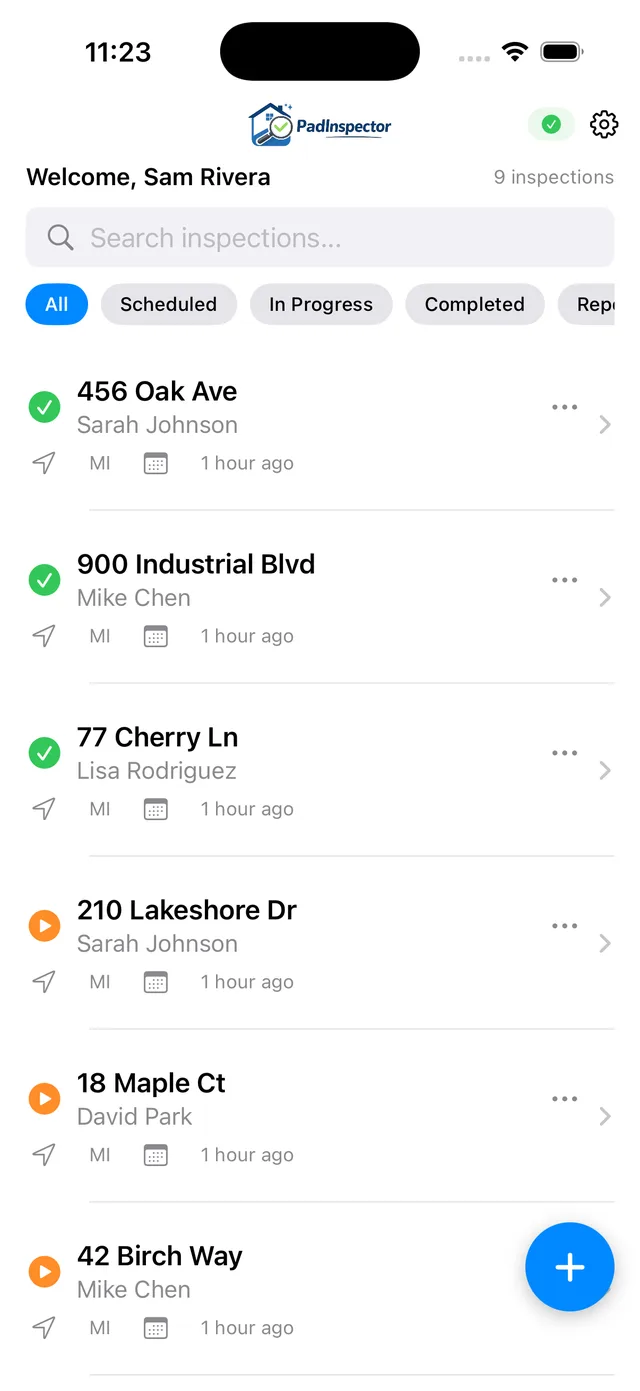
- Tracks a Scheduled status and assignment per property
- Office pre-fills the file from Zillow before you arrive
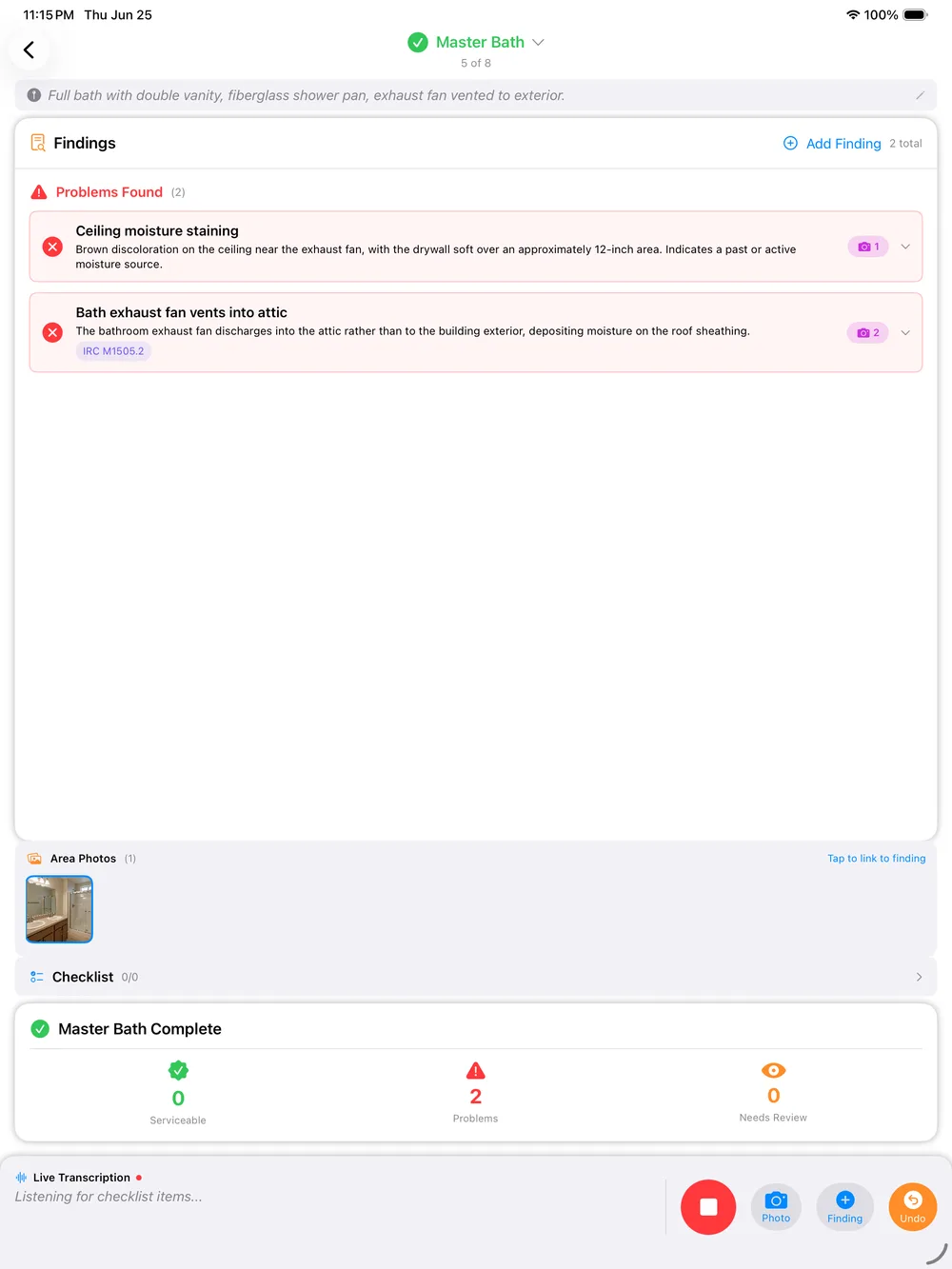
- Voice-to-report capture while you walk the inspection
- Report finished before you leave the driveway
This is the half most scheduling apps never touch.
Where PadInspector Fits Around the Appointment
Your scheduling app owns the booking. PadInspector owns everything that happens once a scheduled appointment is on the books.
Scheduled and pre-filled
The booking lands on your calendar however you take it today. In PadInspector the inspection is created with its date and a Scheduled status, and office staff pre-fill the property from Zillow so the file is ready before anyone drives out.
- Scheduled status per job
- Team assignment set
- Zillow pre-fill
Walk, talk, capture
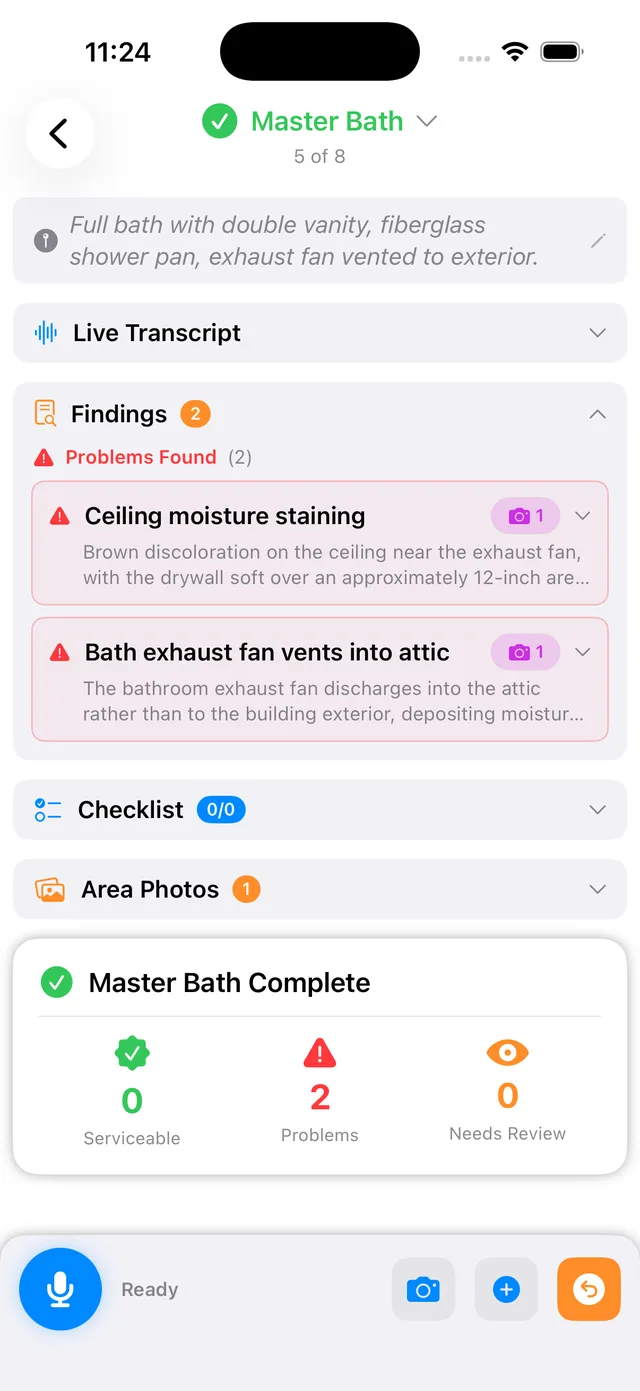
The inspector walks the property and talks. PadInspector transcribes findings, attaches photos to the right area, looks up code violations automatically, and logs the day’s weather. It works fully offline, even building a report from a recorded video.
- Voice-to-report capture
- Automatic code lookups
- Weather logged, works offline
Report done on site
The draft is already written by the time the walkthrough ends. A quick review and the finished report goes out before you leave the driveway, instead of eating your evening back at the office.
- Auto-generated report
- Learns your style
- Sent same day
Keep Your Booking Tool. Add PadInspector for the Job Itself.
You do not have to rip out whatever gets clients on your calendar today. Many inspection teams keep a dedicated booking tool for confirmations and reminders, then open PadInspector once an appointment is locked in. Each inspection in PadInspector carries a scheduled date and a Scheduled status, so nothing gets lost between the booking and the doorstep.
Before you even arrive, office staff can pre-fill the inspection from Zillow, loading square footage, year built, and property details so the file is ready the second you tap start. Then you walk the property and talk. PadInspector transcribes your findings, attaches photos to the right area, and looks up building-code violations automatically, so the report is drafted before you pack up the truck.
It also logs the weather on inspection day, which matters more than most scheduling apps admit: if a roof claim shows up months later, you can point to a record that it had been dry for three days. Explore the full PadInspector home inspection software features beyond the schedule.
What PadInspector Adds After the Booking
Real capabilities, built for the inspection and the report, not the calendar.
Voice-to-report capture, on site
This is the heart of PadInspector. Walk the property and talk. It transcribes your findings in real time, attaches photos to the right area, and looks up IRC, NEC, and state code violations automatically, so the report is drafted before you leave. No typing, no templates, no evening spent at the keyboard.
Team mode, no double work
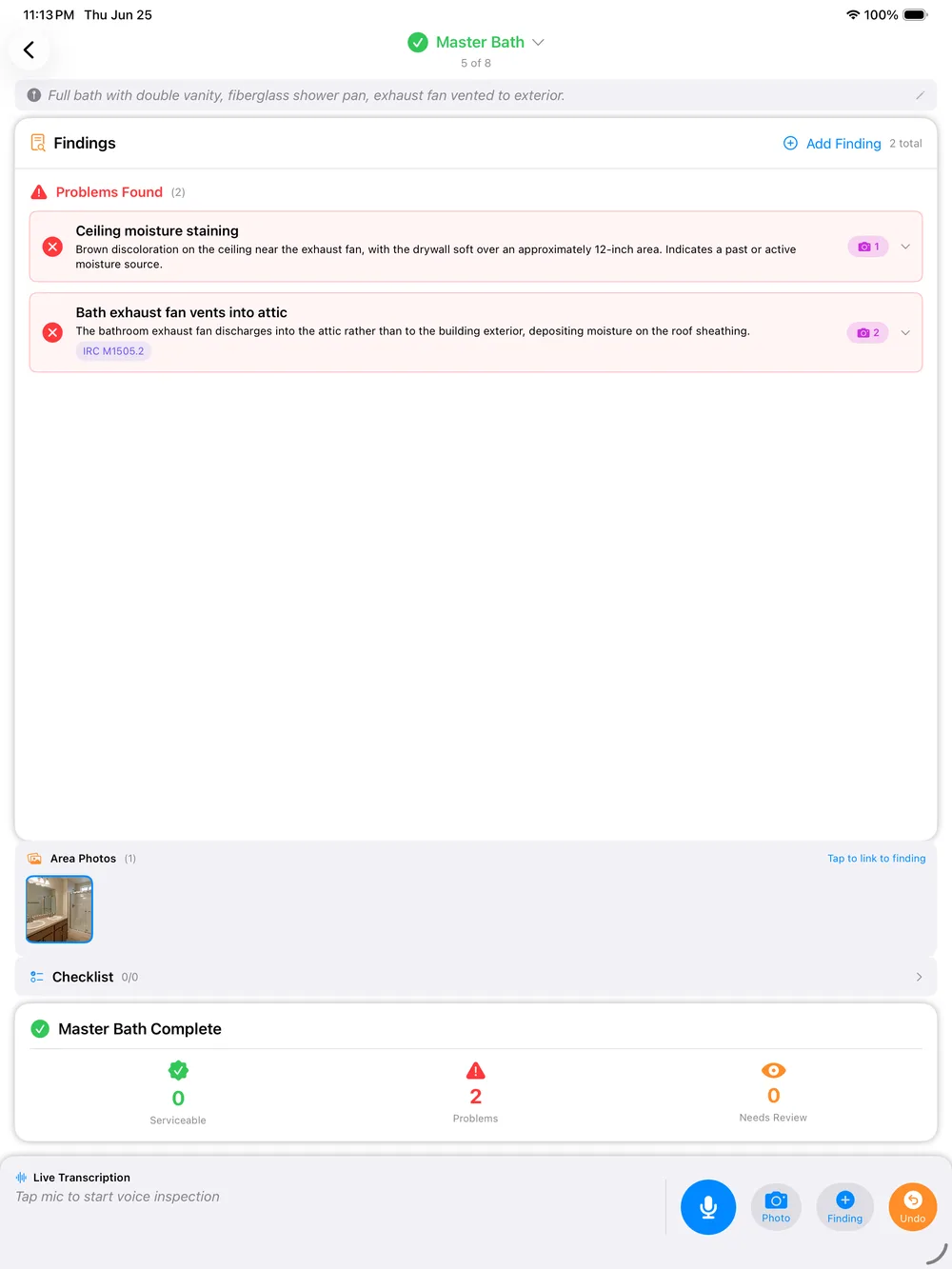
See which inspector is assigned to which scheduled property, so a dispatcher never sends two people to the same job.
Zillow pre-fill
Office staff load property details from Zillow before the appointment, so the file is ready before the inspector arrives.
Automatic code lookups
Findings link to IRC, NEC, and state building codes, cutting out manual code-book searching back at the office.
Weather logging
Inspection-day weather is logged automatically, giving you a liability record if a client questions a finding later.
Fully offline
No wifi at the property is no problem. It can even build a report from a recorded video with no connection.
Automatic report generation
The draft assembles itself as you inspect, then learns your writing style so it sounds like you.
Data privacy
Client and property data is never sold or misused. It stays with your business, not a third party.
Native iPad, iPhone, Watch
A real native app, not a web login, built for the device you already carry on the job.
The Real Scheduling Problem: Double-Booked Inspectors
Ask any multi-inspector shop what actually breaks the day, and it is rarely a missed reminder text. It is two inspectors showing up ready to cover the same property, or nobody realizing a job was never assigned at all. PadInspector's team mode keeps every inspector's coverage visible, so scheduled inspections are never duplicated and nothing falls through the cracks.
That coordination sits right alongside the report itself, so your office is not toggling between a scheduling tool and a separate reporting app to answer who has this one. If your firm is comparing full platforms rather than a single app, our best home inspector software comparison and our home inspector software overview both cover how team coordination fits into the bigger picture.
Scheduling App vs. PadInspector
They cover different halves of the job. Here is the honest split.
PadInspector does not sync calendars, take client bookings, or send reminders. Keep a scheduling app for that, and let PadInspector own the inspection.
Simple, Per-Inspector Pricing
No booking add-ons or per-report fees. Pick a plan and start turning scheduled jobs into same-day reports.
- Voice-to-report capture
- Automatic code lookups
- Weather logging
- Works fully offline
- Everything in Starter
- Zillow pre-fill
- Style learning
- Priority support
- Everything in Pro
- Multi-inspector team mode
- Assignment and coverage view
- No double-booked jobs
See the full breakdown on our PadInspector pricing plans page.
Frequently Asked Questions
Straight answers, including what PadInspector does not do.
Does PadInspector sync with Google Calendar or Outlook?
No, not today. PadInspector does not sync with Google Calendar or Outlook, and that is by design. It is a field and reporting app, not a calendar. Each inspection still carries its own scheduled date and a Scheduled status inside the app, so most teams keep a dedicated calendar or booking tool for the appointment itself and switch to PadInspector the moment they are on site and ready to work.
Can clients book a home inspection directly through PadInspector?
Not yet. PadInspector does not include a client-facing self-booking widget. It is built for the inspection and report side of the job: once an appointment is on your books however you already take bookings, PadInspector tracks its scheduled status, lets office staff pre-fill details from Zillow before you arrive, and turns your walkthrough into a finished report.
How does PadInspector stop two inspectors from being sent to the same job?
Team mode gives everyone on your account visibility into which scheduled inspections are already assigned and who is covering them. A dispatcher or partner can see coverage at a glance, so nobody double-books the same property or duplicates a teammate's work.
Does PadInspector send automated appointment reminders to clients?
No. PadInspector does not send client-facing SMS or email appointment reminders, and it does not need to. It focuses on what happens once you are walking the property: voice-to-report capture, automatic building-code-violation lookups, and a logged record of the weather on inspection day for your file. Your scheduling tool can keep handling the reminders it already sends.
Is PadInspector a scheduling app or a home inspection report app?
It is a voice-driven inspection and report app, not a scheduling app. If you need calendar sync, online client booking, or automated reminders, keep using a dedicated scheduling tool for that half of the job. PadInspector takes over the moment you start the walkthrough, drafting the report as you talk so it is done before you leave the driveway.
Can office staff prepare a scheduled inspection before the inspector arrives?
Yes. Office staff can pre-fill an inspection from Zillow before the scheduled appointment, so property details are already loaded in PadInspector by the time the inspector walks up to the door.
Related reading
For a broader look at platform choice, compare full home inspector software options or read our best home inspector software breakdown.
Let Your Scheduling App Book It. Let PadInspector Finish It.
Keep the tool that fills your calendar. Add the one that tracks each scheduled job, keeps your team coordinated, and drafts the report before you leave the driveway. PadInspector is invite-only while we onboard inspectors carefully.