iPad Property Inspection App
An iPad property inspection app should be built for the device in your hand on-site, not a checklist website squeezed onto a tablet screen. PadInspector is a true native iPad app: talk through the walkthrough, and the report writes itself as you move room to room.
“Works on iPad” Is Not the Same as Built for One
Open plenty of apps that advertise iPad support and the seams show fast: buttons sized for a mouse, a checklist form you tap through one field at a time, a page that only really behaves once you have a strong signal. It is a desktop workflow wearing a tablet skin, not software designed around how an inspection actually happens.
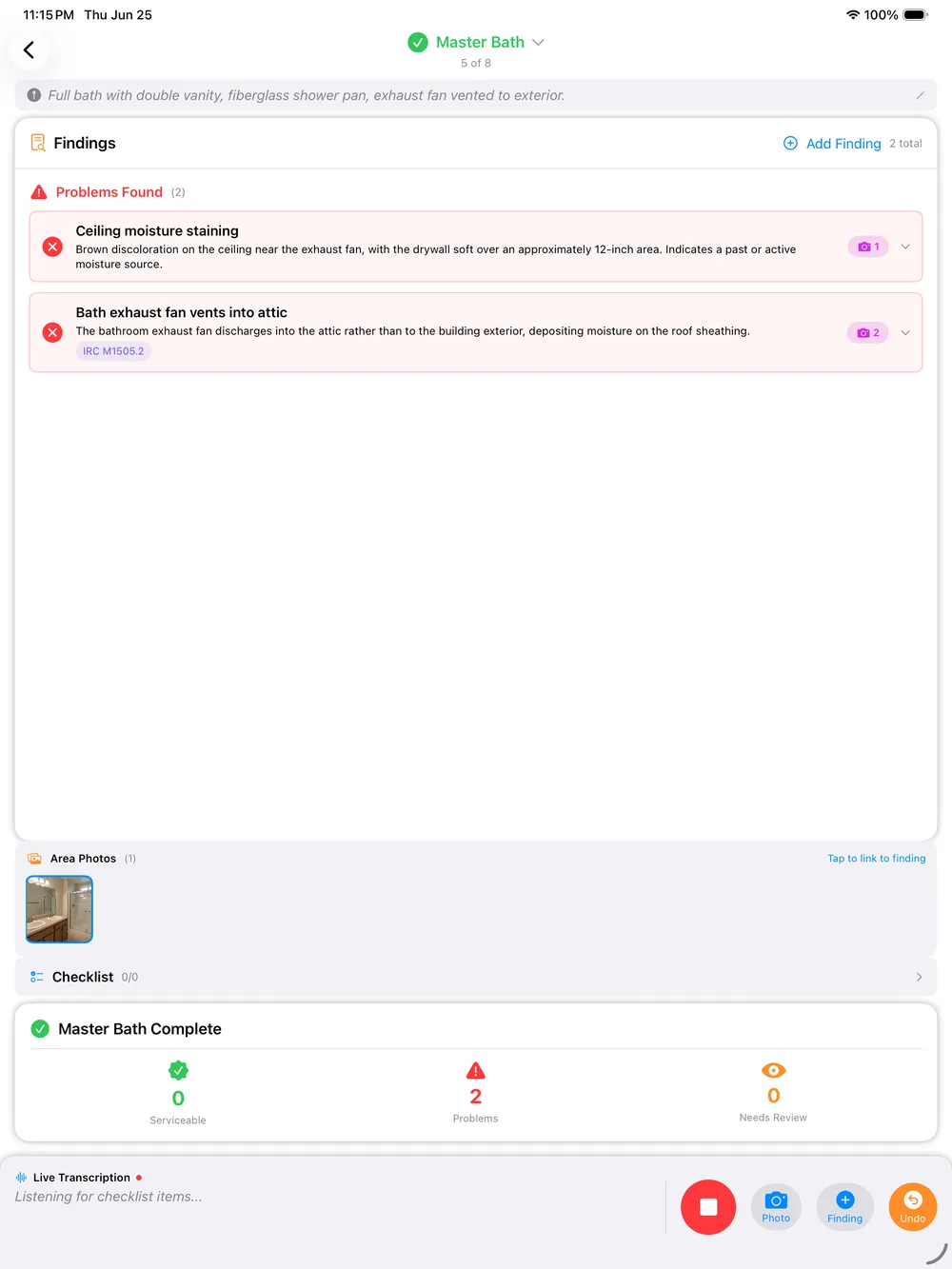
An iPad on a job site deserves an app built for iPadOS itself: one hand carrying the device while you talk, the other free for a flashlight or a handrail, and a screen that is showing you the report as it comes together instead of a spinner waiting on a server.
Walk, Talk, and Watch the Report Build Itself
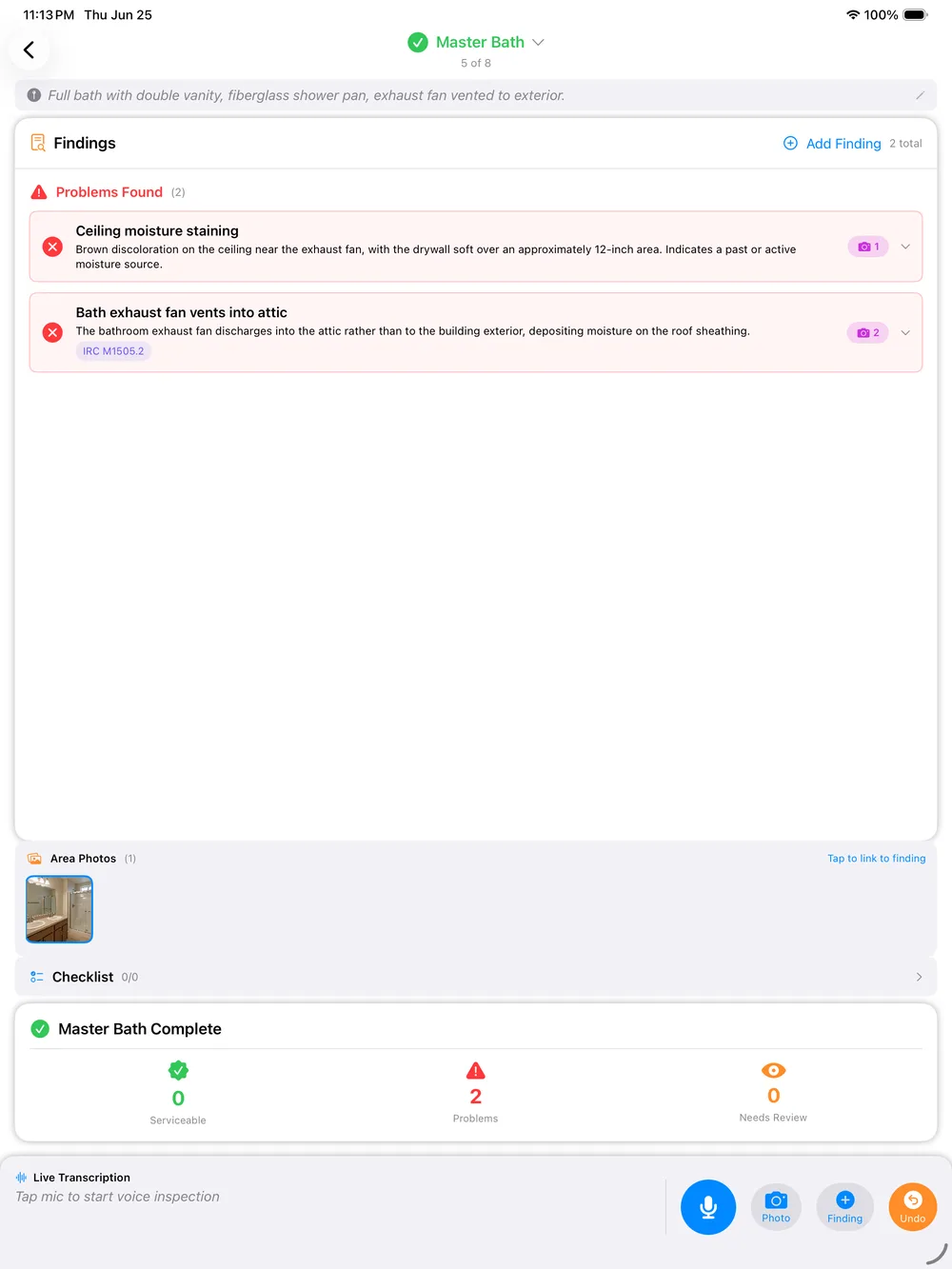
PadInspector puts the iPad to work the moment you walk in the door. You move through the property talking through what you see, and each finding drafts itself in real time, sorted by area as you go. There is no separate step where you sit down later and turn notes into a document.
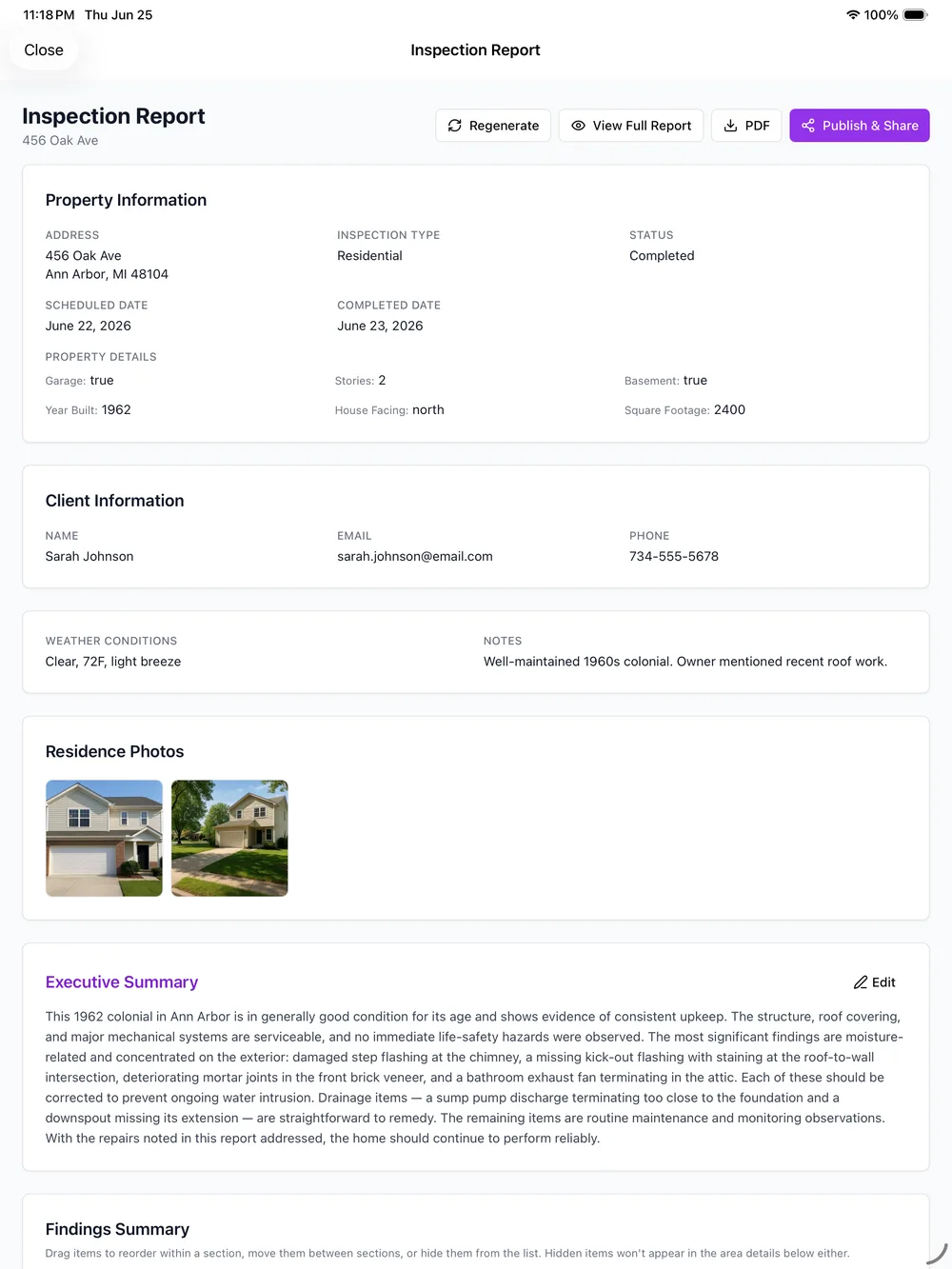
By the time you have covered every area, the iPad is already showing you a nearly finished report to review, not a folder of photos and voice memos waiting to be assembled. Want the broader walkthrough-to-report picture? Read how our voice activated home inspection software works across a full inspection.
What Being Native to iPadOS Actually Gets You
Four real capabilities, each one only possible because the app was built for the device itself and the way you actually move through a property.
Talk Through the Room, Not Into a Form Field
Most iPad inspection tools give you a checklist to tap and a text box to dictate into, one field at a time. PadInspector listens while you walk and talk naturally about what you see, and drafts the finding as you go, so the iPad is following your walkthrough instead of waiting for you to stop and type.
- Speak naturally, area by area
- Findings draft themselves as you talk
- No stopping to tap through a checklist
Every Photo Lands on the Right Finding, Automatically
Snap a photo on the iPad while you describe a defect and it attaches to that exact finding and area, not a loose camera roll you have to sort and match up later at a desk. By the time you close the app, the photos are already organized the way the report needs them.
- Photo-per-area capture, no manual sorting
- Findings and photos stay paired automatically
- Nothing to re-match back at the office
No Wifi on the Property Does Not Slow You Down
Basements, older builds, and properties out past a cell tower are routine, not exceptions. Voice capture, photo attachment, and report drafting all run locally on the iPad, and everything syncs once you are back in range. If a property had zero connection the whole visit, PadInspector can still build the report afterward from a recorded video walkthrough.
- Fully offline capture and drafting
- Syncs automatically once back in range
- Can rebuild a report from a recorded video
Apple Watch Handles the Moments Your Hands Are Full
On a roof, partway up a ladder, or bracing yourself in a crawlspace, pulling out the iPad is not always practical. A glance at the Apple Watch shows where the inspection stands while the iPad or iPhone keeps recording the walkthrough, so both hands stay where they need to be.
- Glanceable status when both hands are busy
- Same native app family, not a separate product
- Built for roof, ladder, and crawlspace moments
iPad, iPhone & Apple Watch
One native app, whichever device fits the moment
From Driveway to Finished Report
Four steps, and the iPad is doing the assembly the whole time.
Arrive pre-filled
Office staff can pull listing details into the inspection on the iPad before you ever pull into the driveway.
Walk and talk
Move through the property area by area, talking through what you see. Photos attach as you go.
Quick review
Skim the drafted report on the iPad screen, adjust wording, and confirm every finding before you leave.
Send and go home
Sign off and send from the driveway. No laptop session waiting for you that night.
Built for the Field. Honest About the Rest.
PadInspector is a real native iPad, iPhone, and Apple Watch app, not a web login with a home-screen icon. We are not going to put a made-up rating, review count, or battery-life number on this page to sell that point. The fastest proof is opening the app on your own iPad in the field.
What we can promise is how your client data is treated: the findings, photos, and recordings captured during an inspection are never sold or repurposed to market to your clients. That data stays between you and the client it belongs to.
Related reading
Browse the full PadInspector use cases index to see every way inspectors use the app, compare it with our home inspection software for iPad overview, read more on offline home inspection software, or check the full PadInspector feature list and PadInspector pricing plans.
Frequently Asked Questions
Is this a real native iPad app, or just a website that works on iPad?
PadInspector is a native iPadOS app, not a browser tab or a PDF form resized to fit a tablet screen. That distinction matters on-site: a native app keeps the camera and microphone steady, holds up when the connection drops, and lays the report out for the screen you are actually holding instead of a desktop page stretched to fit it.
Does an iPad property inspection app work with no wifi on-site?
Yes, with PadInspector. Voice capture, photo attachment, and report drafting all run locally on the device, so a basement, older build, or rural property with no signal will not slow you down. If a property had no connection at all during the visit, the app can still build the report afterward from a recorded video walkthrough.
Can I use it on iPhone or Apple Watch too, not just iPad?
Yes. PadInspector is one native app family across iPad, iPhone, and Apple Watch. Carry the iPad through the main living areas for the bigger screen, switch to the iPhone for a tight attic hatch or crawlspace, and check the Apple Watch for status when both hands are occupied on a ladder or roof.
Is this built for property managers, or for inspecting a property?
PadInspector is built around the physical work of inspecting a property on-site, not a leasing or tenant-management platform. There are no lease renewals, rent ledgers, or tenant messaging tools here, just voice capture, photo-per-area documentation, code lookup, and a finished report you write while you are still walking the house.
What happens to battery life and screen visibility outdoors during a full day of inspections?
We will not put a made-up battery number or screen spec on this page. What we can say honestly is that PadInspector is built to be held, talked to, and read in the field for a full walkthrough, not a desktop tool that happens to boot up on a tablet. Screen brightness and battery performance ultimately depend on your iPad hardware and settings.
Does voice capture actually write the report, or is it just dictation into a text field?
It writes the report. Talking into a text field just fills in whatever field is on screen. PadInspector listens as you walk and talk about a finding, drafts the language, sorts it by area, and links any applicable building code automatically, so the report is organizing itself as you move through the property instead of waiting to be typed up later.
The iPad Property Inspection App Built for the Walkthrough
PadInspector is invite-only while we onboard inspectors carefully. Request an invite and put a truly native iPad app to work on your next walkthrough.
Request an invite