Inspection Software Systems
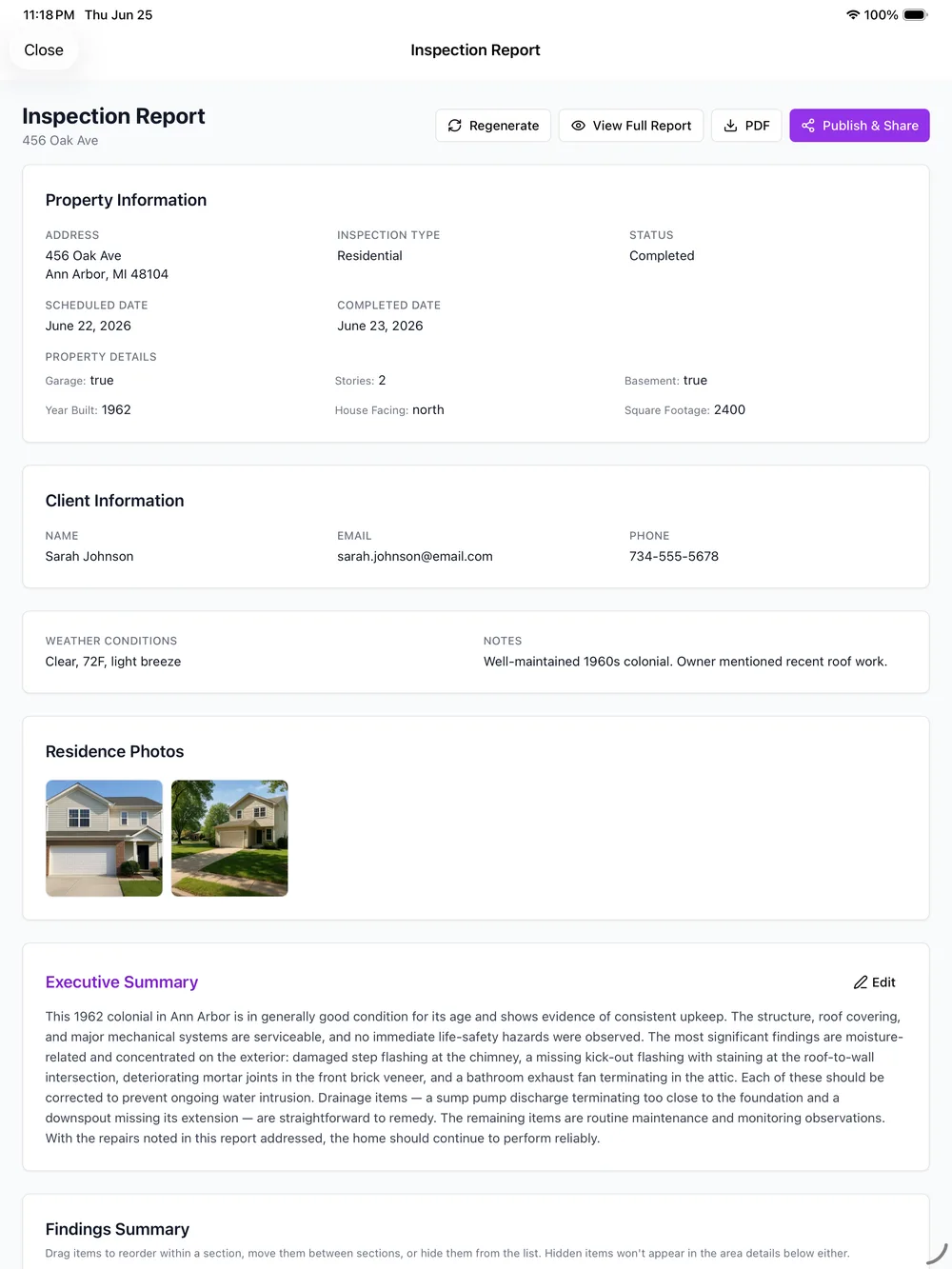
Inspection software systems only earn the name when every part, capture, code lookup, photos, and team coordination, works off the same data instead of five apps you stitch together yourself. PadInspector is built as one system from the ground up.
Most "Systems" Are Just Five Tools Taped Together
A typical inspector's toolkit is not really a system at all. There is a checklist app for the walkthrough, a codebook or a separate reference app for looking up a violation, a scheduling tool for keeping a multi-inspector day straight, a camera roll that has to be matched up to findings by hand, and then a word processor at the kitchen table to turn all of it into a report that actually reads clean.
None of those tools talk to each other. Every handoff between them is a place where something gets forgotten, mistyped, or left for later. That is the real cost of calling a pile of disconnected apps a system: the inspector becomes the integration layer, copying information between tools by hand at the end of a long day.
The Six Parts of One Connected System
Every tile below is a piece of the same underlying data, not a separate app you have to open next.
Voice Capture
Walk the property and talk through every room. This is the input that feeds every other part of the system, the transcript becomes the report draft in real time.
Code-Lookup Engine
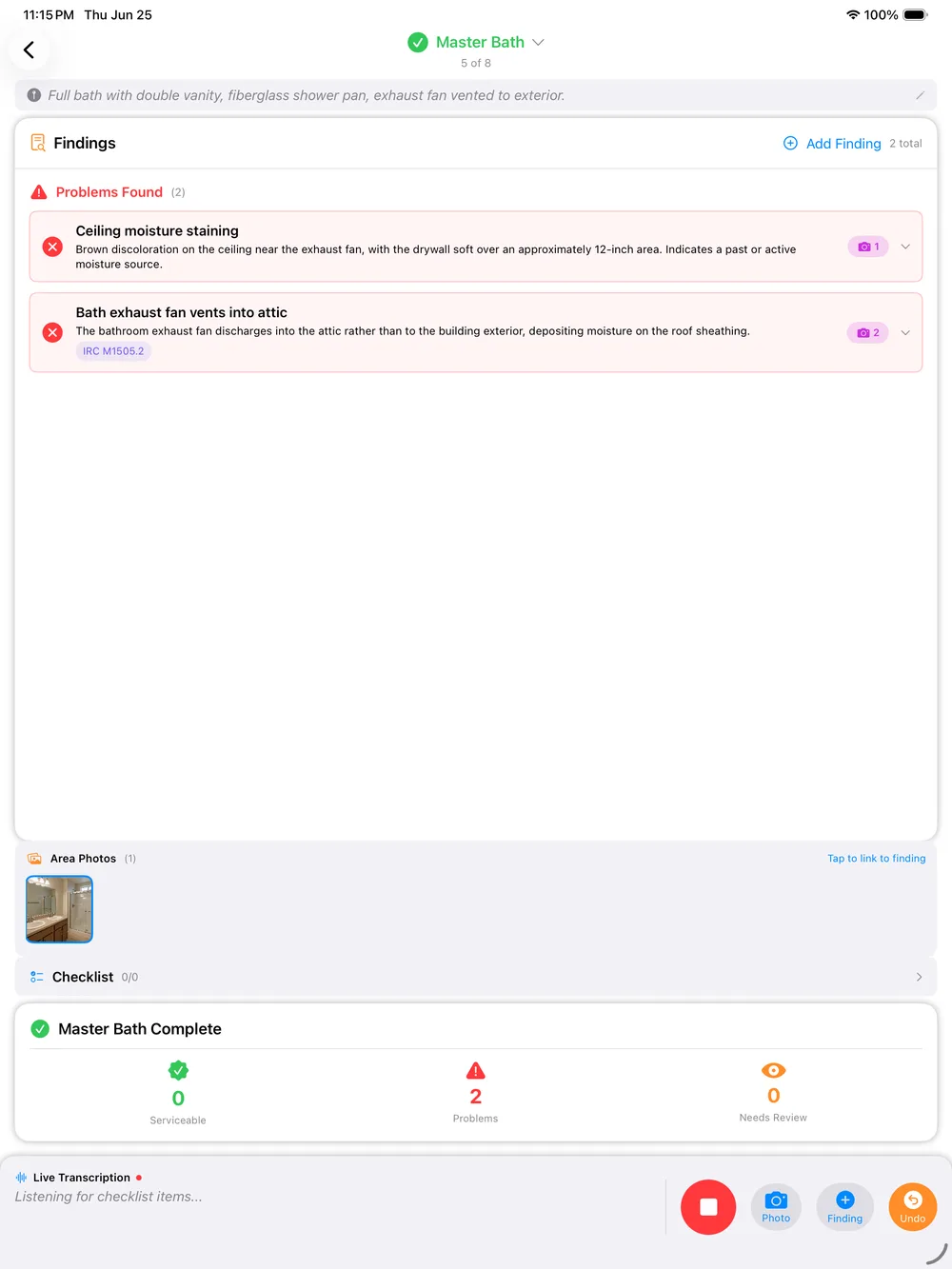
Findings are checked against IRC, NEC, and state codes automatically as you speak.
Photo & Area Evidence
Photos attach to the exact finding and area, no manual matching after the fact.
Team Coordination
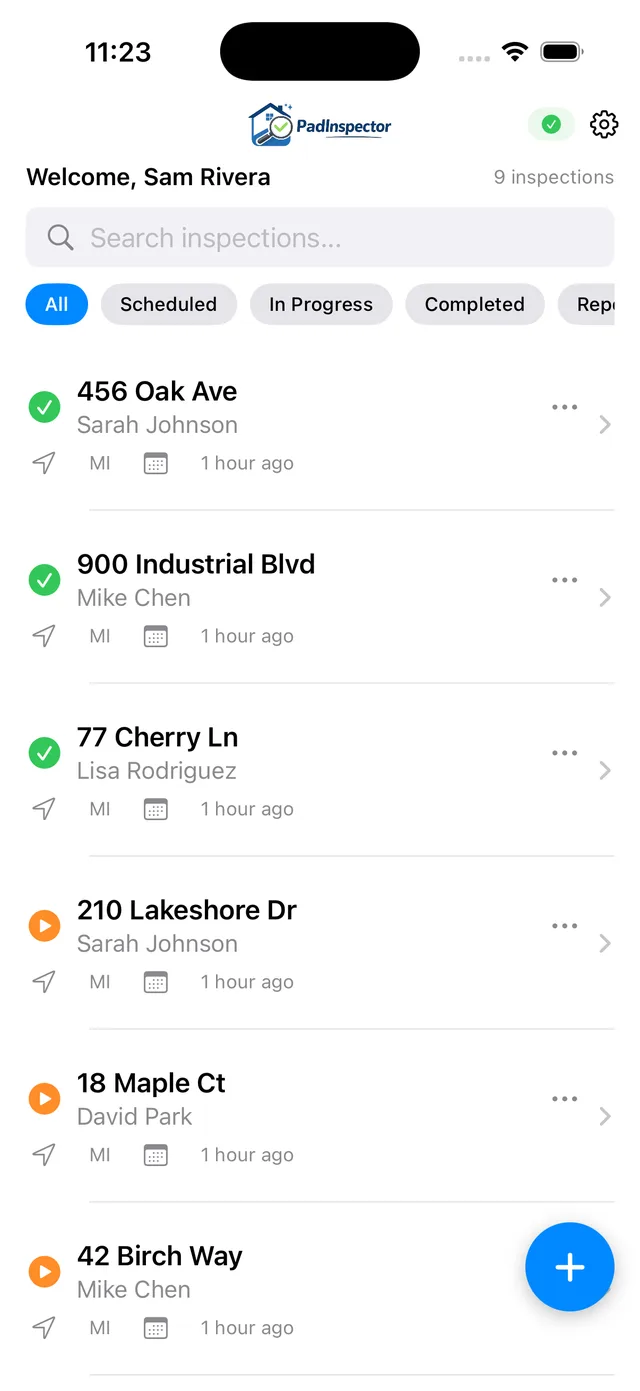
See who inspected what, and when, across a multi-inspector day.
Weather Logging
Inspection-day conditions log automatically, useful if a finding is ever disputed.
Native Multi-Device App
One system on iPad, iPhone, and Apple Watch, not a browser login pretending to be an app.
For the core capture-and-report tool behind this system, see home inspector software. For the report layer specifically, see building inspection report software.
Coordination Is Part of the System, Not an Add-On
On a multi-inspector day, the weakest link in most toolkits is coordination. A separate scheduling app can tell a team where to be, but it has no idea what has actually been inspected yet. That gap is where a unit gets covered twice, or worse, not at all.
PadInspector's team mode reads from the same live inspection data as the voice capture and the report draft, so coordination status is never stale. Whoever is running the day can see exactly what is done, in progress, or still open, without a side channel of texts and phone calls.
See how office staff also pre-fill a property before the crew arrives, and browse full PadInspector pricing plans for team accounts.
How the System Runs On an Inspection Day
Four steps, one app, no switching between tools to get a finished report out the door.
Arrive and open one app
No separate checklist app, codebook, and scheduling tool to open first. PadInspector is the whole system on the device already in your hand.
Walk and talk
Findings, code references, and photos capture together as you move through the property, area by area.
Team status updates live
If another inspector is on the same property, team mode shows what is already covered so nothing gets duplicated.
Review and send
The report is drafted before you leave the driveway. Review it, adjust anything, and send.
Your data stays your data. PadInspector never sells or misuses client information captured through the system, whether that is a voice transcript, a photo, or a property record pre-filled by office staff. The system is built to serve your inspection business, not to harvest contacts out of it.
Frequently Asked Questions
What makes something an inspection software system rather than just an app?
A system means the pieces of the job, capturing findings, checking code, organizing photos, coordinating a team, and producing the report, all work off the same data instead of living in separate tools you have to reconcile by hand. PadInspector is built that way from the start: what you say on the walk feeds the report, the code lookup, and the photo evidence together, so nothing has to be copied or re-entered between systems.
Does PadInspector replace a checklist app, a codebook, and a scheduler all at once?
It replaces the need to juggle them as separate tools for the inspection and reporting workflow. Voice capture stands in for the checklist app, automatic IRC, NEC, and state code lookup stands in for the codebook search, and team mode covers scheduling coordination for who inspected what. It is not a general business calendar or accounting system, it is the inspection and reporting layer done as one connected system.
How does the code-violation lookup fit into the rest of the system?
As you talk through a finding, PadInspector checks it against IRC, NEC, and relevant state building codes automatically and attaches the reference to that finding in the report. You are not stopping to search a codebook in a separate tab or app, the code intelligence is part of the same capture flow as the voice note and the photo.
Can multiple inspectors use the same system without duplicating work?
Yes. Team mode shows which inspector covered which area or property and when, so a multi-inspector day does not end in two people writing up the same section or a section nobody covered. It is coordination built into the same system that captures and drafts the report, not a separate scheduling product bolted on.
Does the system still work if there is no wifi on site?
Yes, the whole system is offline-first. Voice, photos, and notes save to the device and sync once you have a connection, and PadInspector can even build a full report from a recorded video walkthrough if you had zero connectivity that day. None of the connected pieces, capture, code lookup, or team status, depend on being online in the moment.
What does a full inspection software system cost with PadInspector?
Starter is $79 per month ($790 per year) for a solo inspector. Pro is $129 per month ($1,290 per year) with higher usage limits and code intelligence. Team is $129 per month plus $59 per additional inspector, which covers the full connected system, capture, code lookup, photos, and coordination, across a crew on one account. PadInspector is invite-only right now, so pricing is locked in early for anyone who requests an invite.
Related reading
Compare the core tool this system is built on at home inspector software, see the report layer in detail at building inspection report software, or read how the AI-assisted parts of the system work at AI home inspection software. Browse the full set at every PadInspector use case, or see the complete PadInspector feature list.
Run Your Inspections On One Connected System
PadInspector is invite-only while we onboard inspectors carefully. Request an invite and bring capture, code lookup, photos, and team coordination into one app.
Request an inviteVoice capture, code lookup, photo evidence, and team coordination, in one native app.