Property Inspection Software
Property inspection software should keep up with you whether you are walking a single-family pre-purchase, a multi-family unit turn, or a small commercial space. PadInspector listens as you talk through each finding, drafts the report on-site, and links the codes automatically, so it is nearly done before you leave the property.
Invite-only while we onboard inspectors. Plans from $79/mo. Works fully offline.
Every Property Type Gets the Same Slow Second Job
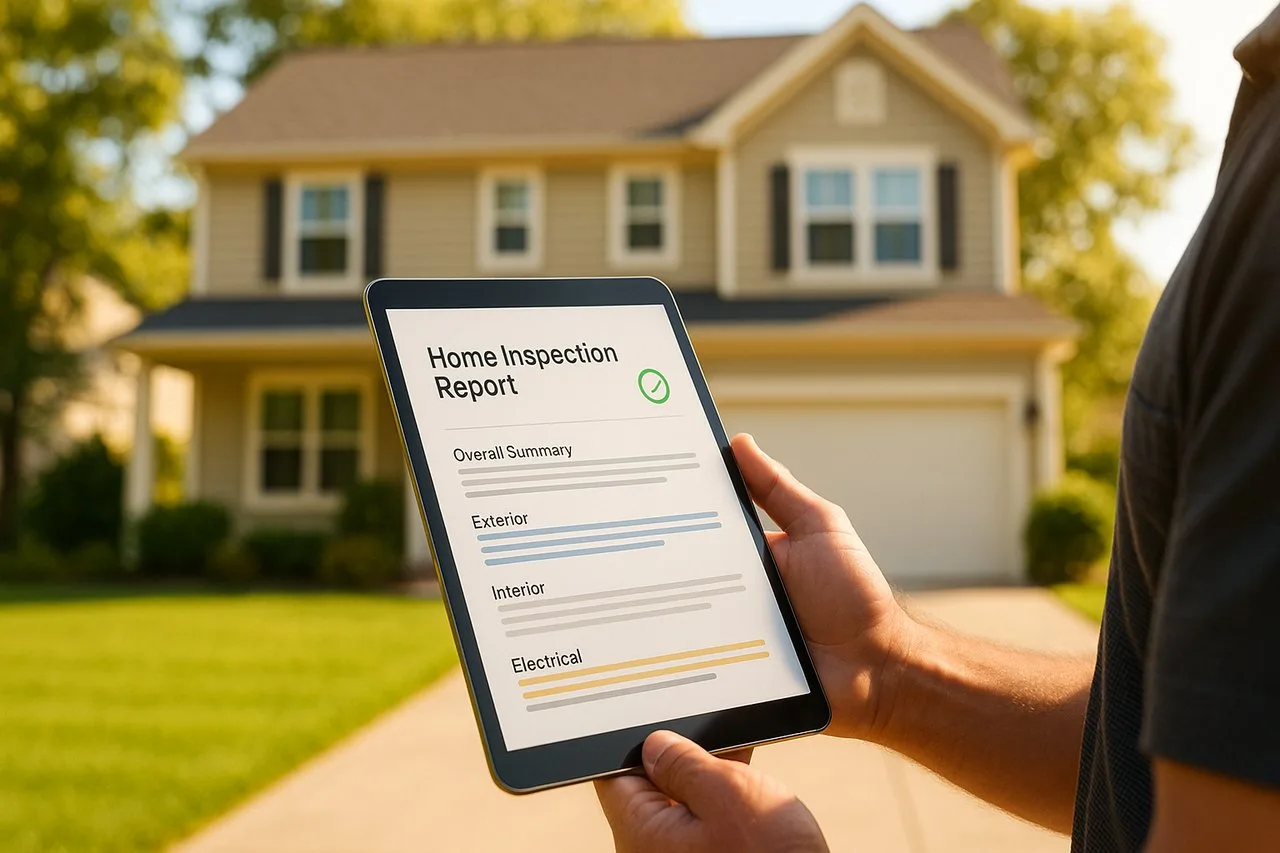
A single-family pre-purchase, a run of multi-family unit turns, or a small commercial walk-through all end the same way with most property inspection software: a checklist full of shorthand notes that still has to be rebuilt into a real report once you are back at a desk. The property changes, but the after-hours typing does not.
Four Walkthroughs, One Voice-First Workflow
PadInspector does not change tools depending on what you are walking. Here is how the same workflow plays out across the property types inspectors actually cover.
Pre-purchase walkthrough
A buyer is closing in two weeks and wants the report fast. You walk the house room by room, talking through findings as you go, and PadInspector links the applicable code section the moment a defect sounds like one.
- One inspector, one visit, one finished report
- Photo-per-area capture as you talk
- Report organized before you reach the driveway
Unit turns, one building at a time
A ten-unit walkthrough used to mean ten separate note sets to reconcile at a desk. With team mode, two inspectors split the floors, each unit is captured area by area, and nobody duplicates a room the other already covered.
- Team mode shows who inspected what, live
- Each unit stays a separate, complete report
- Photos and findings stay attached to the right door
Condition walk-through on a tight window
A small office or retail space still needs a real walk, not a checklist skim. You talk through structure, systems, and life-safety items area by area, and the draft report is ready before the property manager locks up.
- Same voice-first workflow, any building type
- Findings sorted by area as you speak
- No laptop session back at the office
Documenting condition, not just defects
A condition survey lives or dies on documentation you can defend later. PadInspector logs the day's weather automatically alongside every finding, so a roof or moisture question months later has a real answer attached.
- Weather logged automatically on inspection day
- Every finding tied to a photo and a timestamp
- Fully offline capture, even with zero signal on-site
The Report Gets Built While You Walk
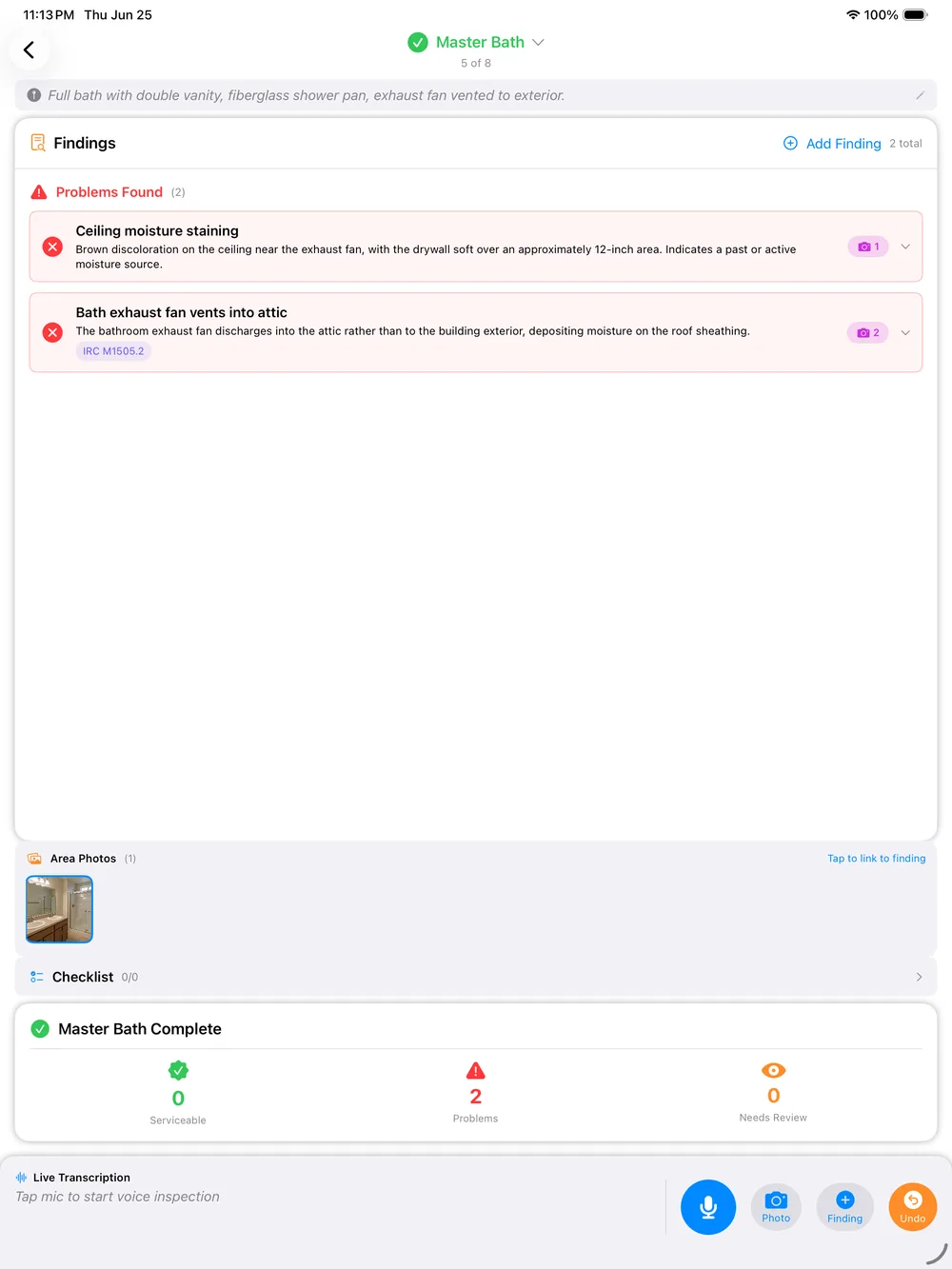
Instead of tapping through a checklist and typing notes to expand later, you talk through each area as you move through the property. PadInspector transcribes what you say, sorts it by area, and drafts the report language as you go, regardless of whether that area is a bedroom, a mechanical room, or a unit hallway.
By the time you have covered the property, the draft is organized and waiting for a quick review instead of a rebuild. For the report-writing details specifically, our pre-purchase building inspection software page walks through the single-family case in more depth.
What Carries Over to Every Property
These capabilities work the same way no matter which property type you are inspecting.
Voice-to-report capture
Talk through each finding as you walk the property and the report drafts itself in your phrasing, area by area.
Automatic code lookup
A finding that matches a requirement gets the relevant IRC, NEC, or state code section linked automatically, no separate codebook search.
Weather logging
Inspection-day weather is logged automatically on every job, useful liability protection on any property type.
Fully offline
No signal in a basement, a parking structure, or a rural property is no problem. The app can even build a report from a recorded video.
Team mode
Multiple inspectors on the same property see who covered which unit or area in real time, so nobody doubles up.
Zillow pre-fill
Office staff can pre-fill an inspection from Zillow property data before anyone arrives on-site.
How It Works, Start to Finish
- 01
Arrive and open the job
Pull up the property, prefilled if your office staged it from Zillow beforehand.
- 02
Walk and talk
Move through the property area by area, narrating findings and snapping a photo for anything worth documenting.
- 03
Quick review
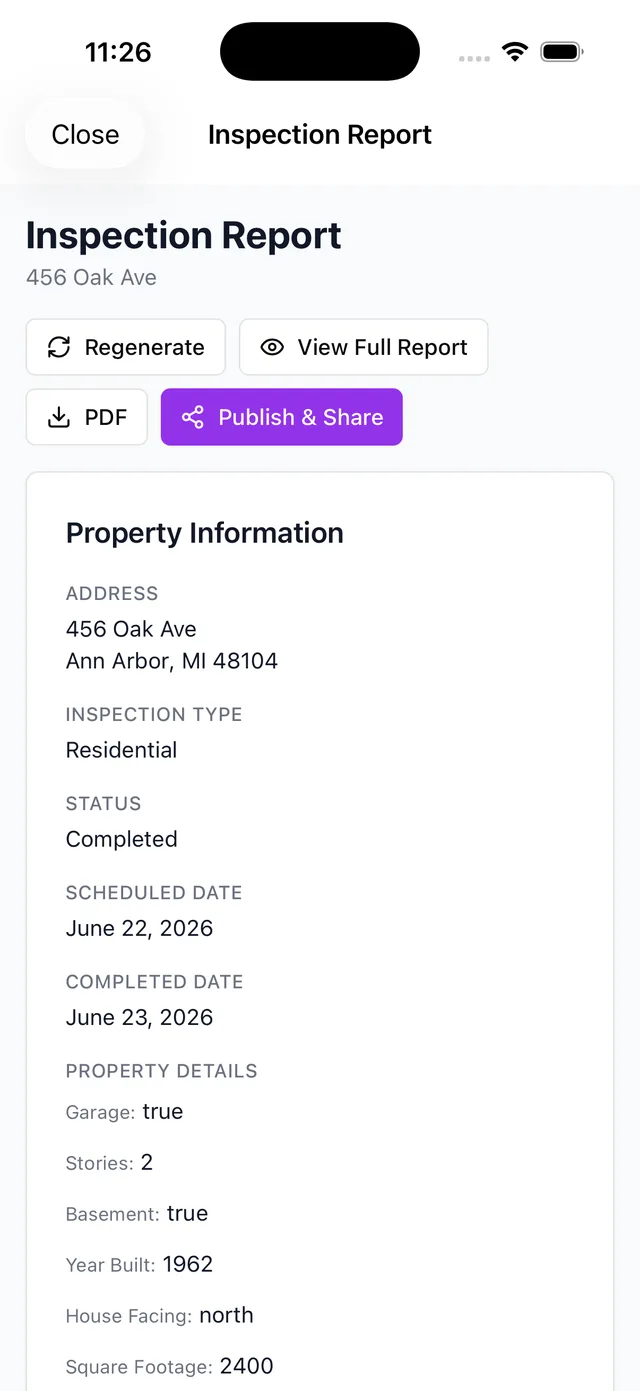
Skim the draft the app organized as you spoke, adjust wording, and confirm the code links that matched.
- 04
Send and go
Sign off and send the report before you leave the property, no laptop session required later.
Property Inspection Is Not Property Management
To be direct about scope: PadInspector is built for the walk, the documentation, and the report, whether that is a single-family pre-purchase or a run of multi-family unit turns. It does not manage leases, collect rent, or route maintenance tickets. If what you actually need is the tenant-management side of the business, our property management inspection software page covers that use case instead.
Your Client Data Stays Yours
The recordings, photos, and findings PadInspector processes to build a report exist to build that report, nothing else. That data is never sold or repurposed to market to your clients, on any property type.
Related reading
Focused on the single-family transaction? Read our pre-purchase building inspection software page. Inspecting for insurance eligibility specifically? See our 4-point inspection software guide. Want the full platform overview first? Start with home inspector software, browse the complete PadInspector feature set, check PadInspector pricing plans, or see every way inspectors use PadInspector.
Frequently Asked Questions
What is the difference between property inspection software and property management software?
Property inspection software, the way PadInspector builds it, is for the person doing the walkthrough and writing the report: single-family pre-purchase, multi-family unit turns, small commercial, or a condition survey. Property management software tracks leases, rent, and maintenance tickets over time. PadInspector is squarely the first kind. If you need the tenant-management side, see our property management inspection software page instead.
Can property inspection software handle more than single-family homes?
Yes, with PadInspector. The same voice-first workflow covers single-family pre-purchase inspections, multi-family unit turns, small commercial walk-throughs, and insurance or condition surveys. You talk through findings area by area regardless of property type, and the report organizes itself the same way every time.
Does property inspection software work without wifi at the property?
PadInspector does. Recording, transcription, and drafting all run locally on the device, so a basement, a parking structure, or a rural property with no signal will not slow you down. The app can even build a report from a recorded video if you had zero connection on-site.
Does it look up building codes automatically during a multi-family or commercial walkthrough?
It does. When a spoken finding matches a requirement, PadInspector links the applicable IRC, NEC, or state code section to that finding automatically as you talk, whether you are in a single unit or a small commercial space.
Can more than one inspector work the same property without duplicating work?
Yes. Team mode is built for exactly this: on a multi-family walkthrough with several inspectors splitting floors, everyone sees who has already covered which unit or area in real time, so nobody re-inspects a room someone else already finished.
Is client and property data kept private with PadInspector?
Yes. The recordings, photos, and findings PadInspector processes to build a report exist to build that report and nothing else. That data is never sold or repurposed to market to your clients.
One Workflow for Every Property You Walk
PadInspector is invite-only while we onboard inspectors carefully. Request an invite and bring the same voice-first workflow to single-family, multi-family, and small commercial walkthroughs alike.
Request an invite