Compare Home Inspection Software
When you compare home inspection software, the features list matters less than what happens on a real property with no signal and a client waiting on the report. Judge every option on report speed, offline reliability, code lookup, team coordination, pricing, and data privacy, then see where PadInspector lands on each one.
A Wrong Pick Costs You Hours Every Week
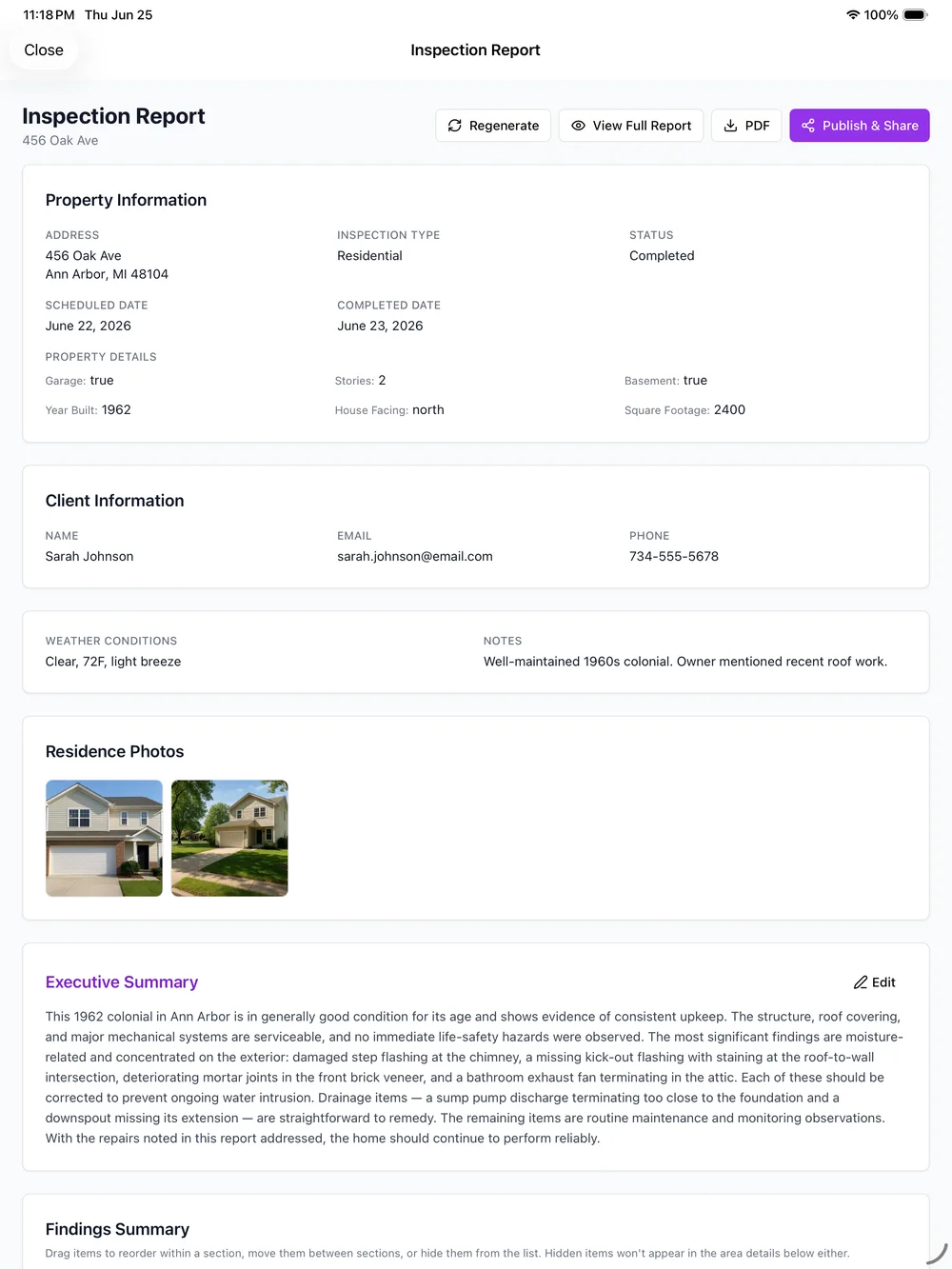
Most inspection software looks the same in a demo: a template, a photo button, a export-to-PDF. The difference only shows up in the field, on the property where the signal drops, the report backs up, or a finding needs a code citation you now have to look up by hand. Pick the wrong tool and that gap turns into an evening rewriting notes instead of leaving the driveway done.
That is why a real comparison has to be criteria-based, not feature-list-based. Many inspection apps require typing or tapping through a checklist after the walk, which is exactly the step that eats your evening. PadInspector is voice-first: you talk, it drafts, and the report is close to finished before you close the front door.
See the full picture of what PadInspector does on the features page, or browse every way inspectors put it to work on the PadInspector uses index.
The Checklist for Any Inspection Software
Seven criteria that decide whether a tool holds up on a real property, and honestly where PadInspector lands on each one.
1. Report speed
What to look for
How much of the report is actually finished when you leave the property, not just how fast you can type notes into a template afterward.
Where PadInspector lands
You talk through the property as you walk it and PadInspector drafts the report in real time, so it is done, not started, before you leave the driveway.
2. Offline reliability
What to look for
Whether the app keeps working the moment a basement, crawlspace, or rural property kills your signal, or whether it stalls and loses your progress.
Where PadInspector lands
PadInspector is fully offline. Voice, photos, and notes save to the device and sync later, and a report can be built from a recorded video with zero wifi.
3. Code-violation lookup
What to look for
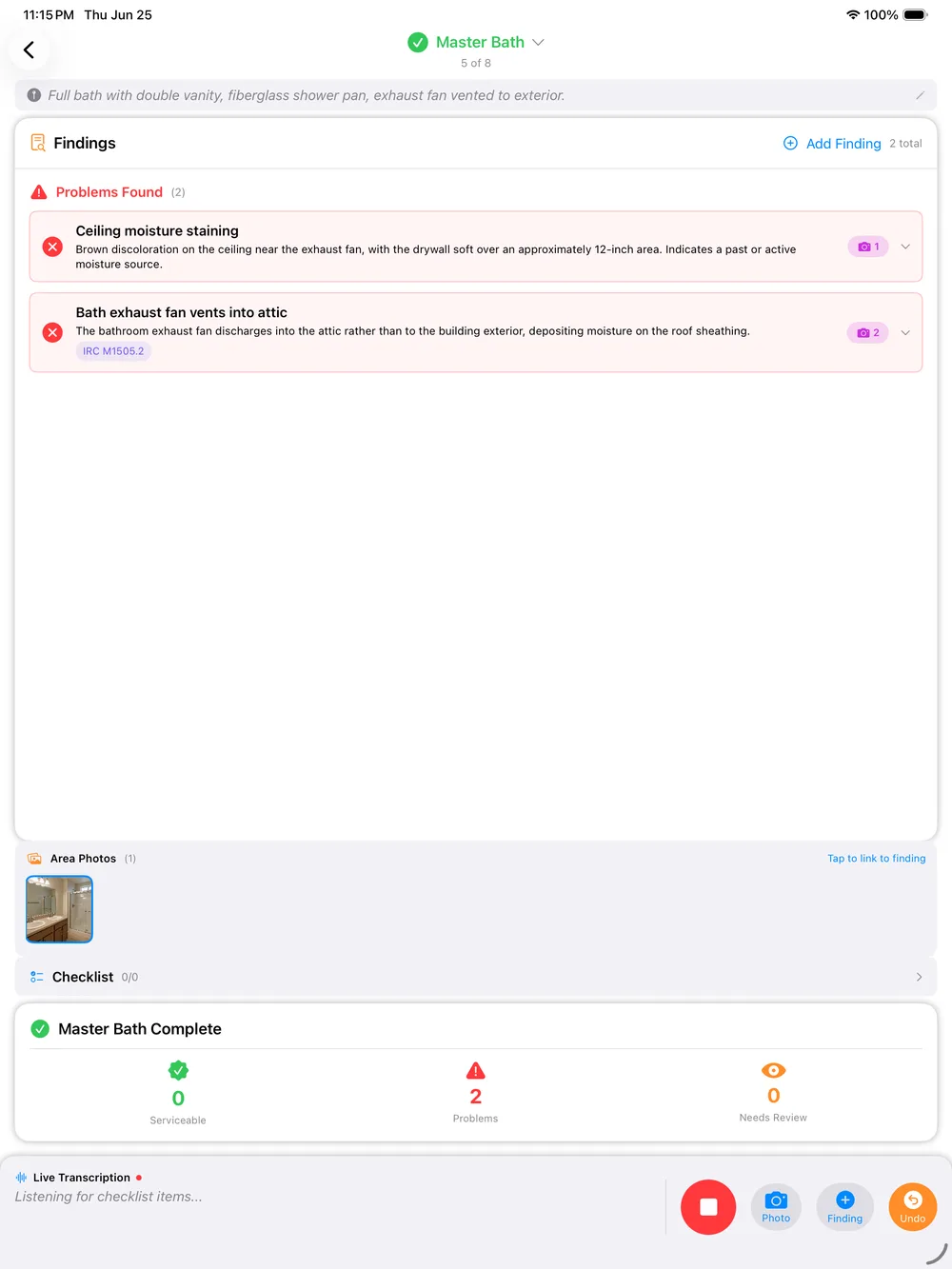
Whether a finding is checked against real building codes automatically, or whether you are still flipping through a codebook to back up a citation.
Where PadInspector lands
Findings are checked against IRC, NEC, and state building codes automatically as you record them, so a note carries the right code reference without a manual search.
4. Native app vs browser reliability
What to look for
Whether it is a real native app built for the device you carry on a roof or in a crawlspace, or a browser tab that can time out, lose a session, or drop a photo upload.
Where PadInspector lands
PadInspector is a native iPad, iPhone, and Apple Watch app, not a web login. Recordings save to the device and upload in chunks, even on a weak connection.
5. Team-mode coordination
What to look for
Whether a team of inspectors can see who already covered a property today, or whether two inspectors can show up to the same job without knowing it.
Where PadInspector lands
Team mode shows who inspected what and when, so office staff and inspectors working the same day never duplicate a property or miss one.
6. Pricing transparency
What to look for
Whether the price you see is the price you pay, or whether per-report fees, payment surcharges, and add-on modules show up once you are already using it.
Where PadInspector lands
Starter is $79 per month, Pro is $129 per month, and Team is $129 per month plus $59 per additional inspector. No per-report fees, published up front.
7. Data-privacy practices
What to look for
What the company actually does with the client contact information and property data that passes through the software you choose.
Where PadInspector lands
PadInspector does not sell or misuse client data. What you and your client share with the app stays with the inspection, not a marketing list.
What a Comparison Looks Like in the Field
Four steps, the same steps you would run on any property, so you can judge the real workflow rather than a demo.
Arrive pre-filled
Office staff pull the property details from a listing before you arrive, so the day starts with walking, not paperwork.
Walk and talk
Talk through each area as you inspect it. Photos attach to the exact finding, and the weather that day logs automatically.
Quick review
The draft is waiting when you finish the walk. Skim it, adjust anything that needs a human eye, and confirm the code references.
Send and go home
Send the finished report from the driveway. No laptop that night, no backlog carrying into the next day of appointments.
Ask What Happens to Your Client's Data
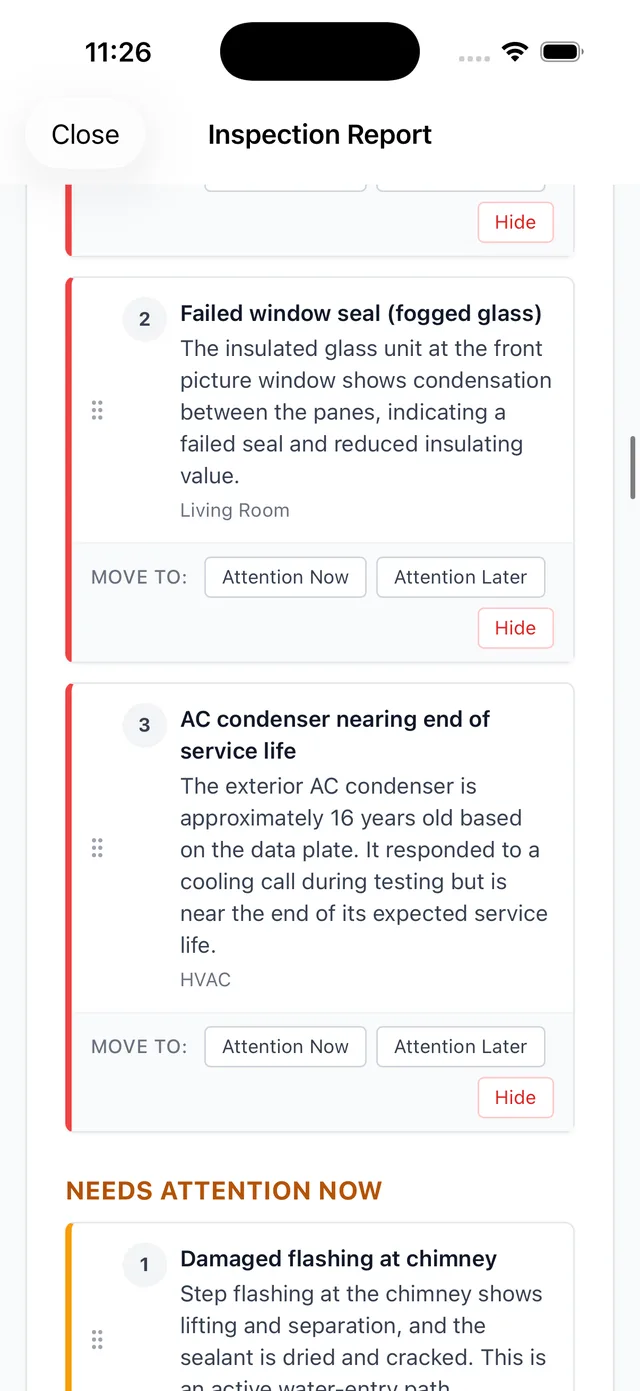
One line item buyers skip and shouldn't: what a company does with the contact information and property details that pass through its software. PadInspector does not sell or misuse client data. What you and your client share stays with the inspection, not a marketing list somewhere else.
We are not going to hand you a fabricated star rating or a review count to make the decision for you. Judge PadInspector the same way you should judge anything else you compare: against the criteria above, on your own property, with your own workflow.
For a deeper look at where PadInspector ranks against the field, see best home inspector software, or check the full PadInspector pricing before you decide.
Frequently Asked Questions
What criteria actually matter when I compare home inspection software?
Start with how fast a report is finished after the walk, whether the app works with no wifi or cell signal on site, whether code violations are looked up for you or you are searching a codebook by hand, whether it is a real native app or a browser tab that can drop mid-inspection, how a team avoids double-covering the same property, whether pricing is a flat published number or a mess of per-report fees and add-ons, and what the company actually does with your client data. Those seven line items will tell you more than a features list ever will.
How much time should home inspection software actually save on writing a report?
A meaningful amount, not a marginal one. If you are still opening a laptop that night to rewrite notes into a finished report, the software saved you data entry, not time. With PadInspector you talk through the property as you walk it and the report drafts itself, so the goal is a report that is done, not just started, before you leave the driveway.
Does home inspection software need to work without wifi or cell signal?
For a lot of properties, yes. Basements, rural lots, and older homes with thick walls routinely kill a signal, and software that depends on a live connection stalls right when you need it most. PadInspector is fully offline. Voice, photos, and notes save to the device and sync once you are back in range, and you can even build a full report from a recorded video walkthrough if you had zero connection that day.
Why does automatic code-violation lookup matter when comparing inspection software?
Because manually cross-checking a finding against IRC, NEC, or a state code amendment is one of the slowest parts of writing a report, and it is easy to miss a citation under a deadline. PadInspector checks findings against those codes automatically as you record them, so a note carries the right reference without a separate codebook search.
What does PadInspector cost compared to running a report backlog by hand?
Starter is $79 per month ($790 per year) for a solo inspector, Pro is $129 per month ($1,290 per year) with higher usage limits and code intelligence, and Team is $129 per month plus $59 per additional inspector for a crew covering many properties on one account. There are no hidden per-report fees. PadInspector is invite-only right now, so pricing is locked in early for anyone who requests an invite.
Is PadInspector available to sign up for right now?
PadInspector is in an invite-only beta as we onboard inspectors carefully, so there is no open sign-up. Request an invite and you will hear back as we bring on new accounts.
Related reading
Want the short list first? See best home inspector software. Comparing on price alone? Check home inspection software cost. For the core walkthrough of the product, browse home inspector software.
See How PadInspector Measures Up on Your Property
PadInspector is invite-only while we onboard inspectors carefully. Request an invite and run the checklist yourself, on a real walk, before you decide.
Request an inviteVoice-first, offline-first, code-aware, and priced to compare.